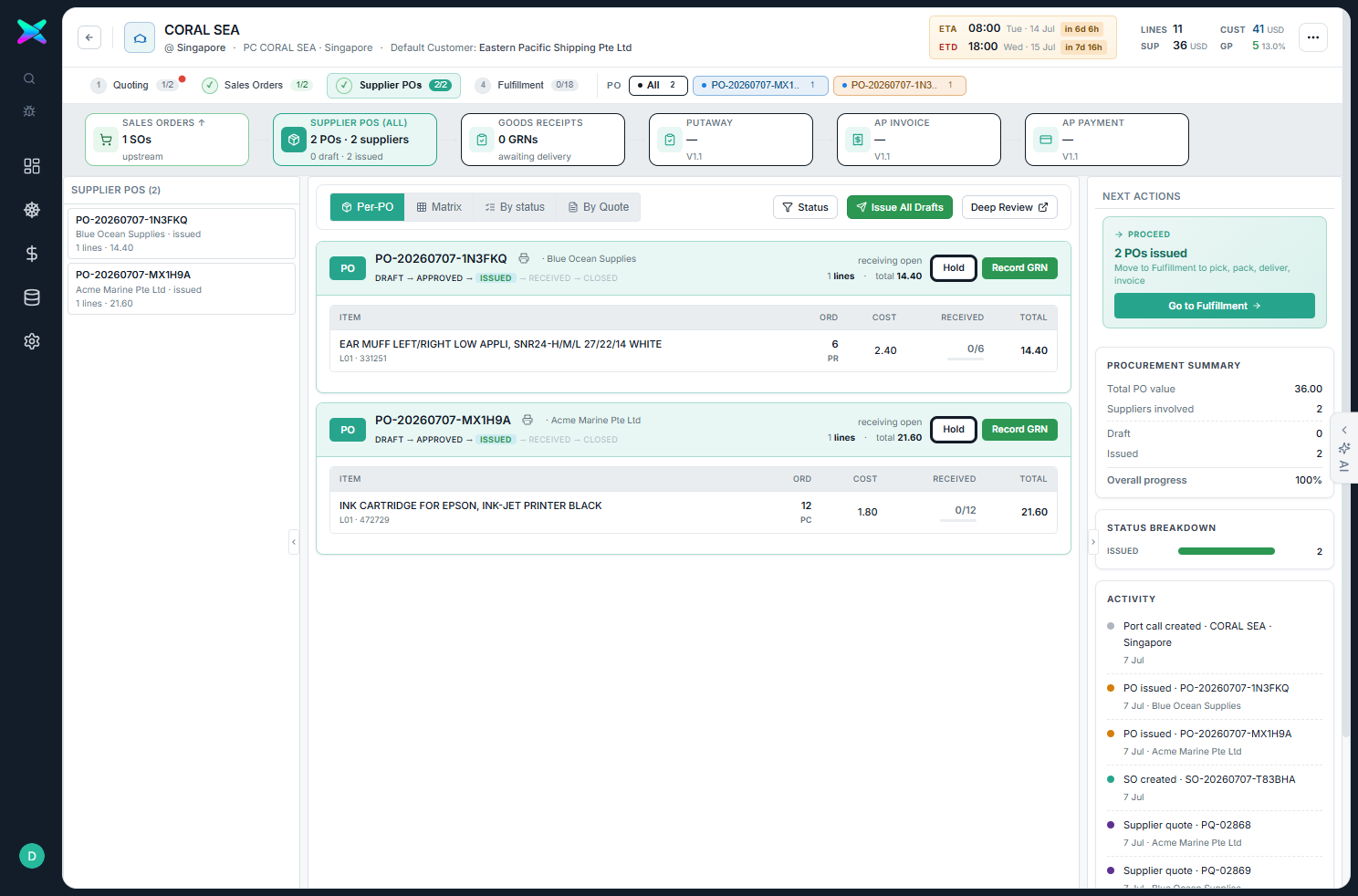
Stage 3 is the supplier side of the sales order: the POs generated from the SO are issued, goods are
received against them (GRN), the supplier bill is recorded and the supplier is
paid. One PO is created per awarded supplier — for CORAL SEA that's two:
PO-20260707-MX1H9A (Acme) and PO-20260707-1N3FKQ (Blue Ocean).
live · CORAL SEA
PO
Issue PO
draft → approved → issued
GRN
Record GRN
goods received & posted
BILL
Record Bill
draft AP invoice from billable qty
PAY
Pay Supplier
payment posted → bill settled
5.1 The Supplier POs stage & issuing
Press 3 (or click Supplier POs). The left column lists every PO; the main panel
shows the focused PO with its lines and any attached GRN / bill / payment. Freshly generated POs land as
draft.
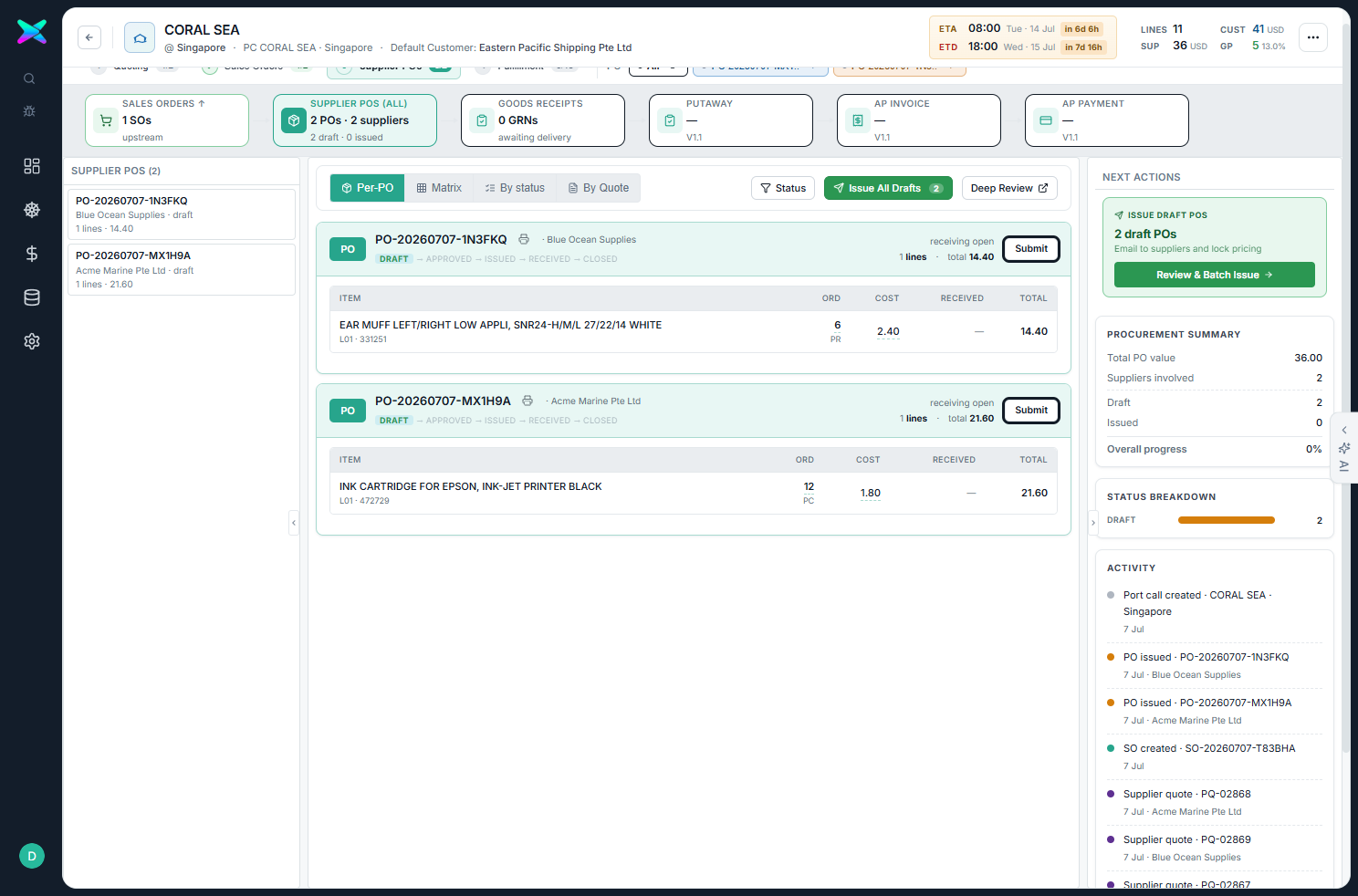
The two generated POs on CORAL SEA — Acme 21.60 and Blue Ocean 14.40, both draft.
Issue All Drafts opens the batch-issue modal — each supplier receives one PDF email with their
consolidated PO. Approving + issuing moves each PO DRAFT → APPROVED → ISSUED.
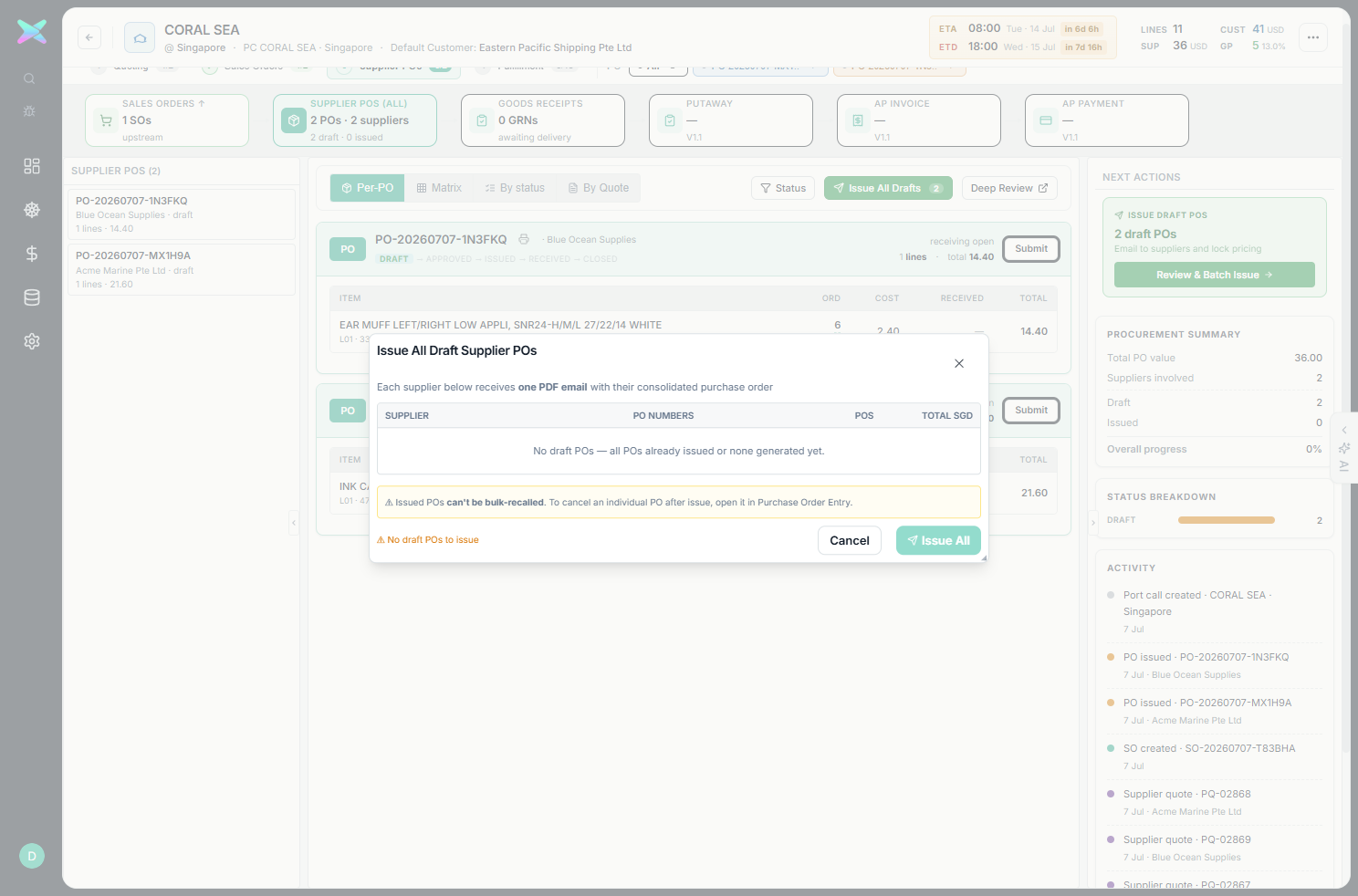
The Issue All Draft Supplier POs modal — one consolidated PO email per supplier. Views: Per-PO / Matrix / By status / By Quote. Each PO carries the supplier's frozen order-from / pay-to address snapshot and the customer-requirement snapshot from the originating RFQ line.Both POs issued — each PO row now exposes Record GRN, and the doc-strip shows Goods Receipts awaiting delivery.
5.2 Record the GRN
On an issued PO, Record GRN captures received quantities per line (receiver + received qty; rejected qty
optional) and posts a goods-receipt note, moving the PO's receiving status toward fully_received.
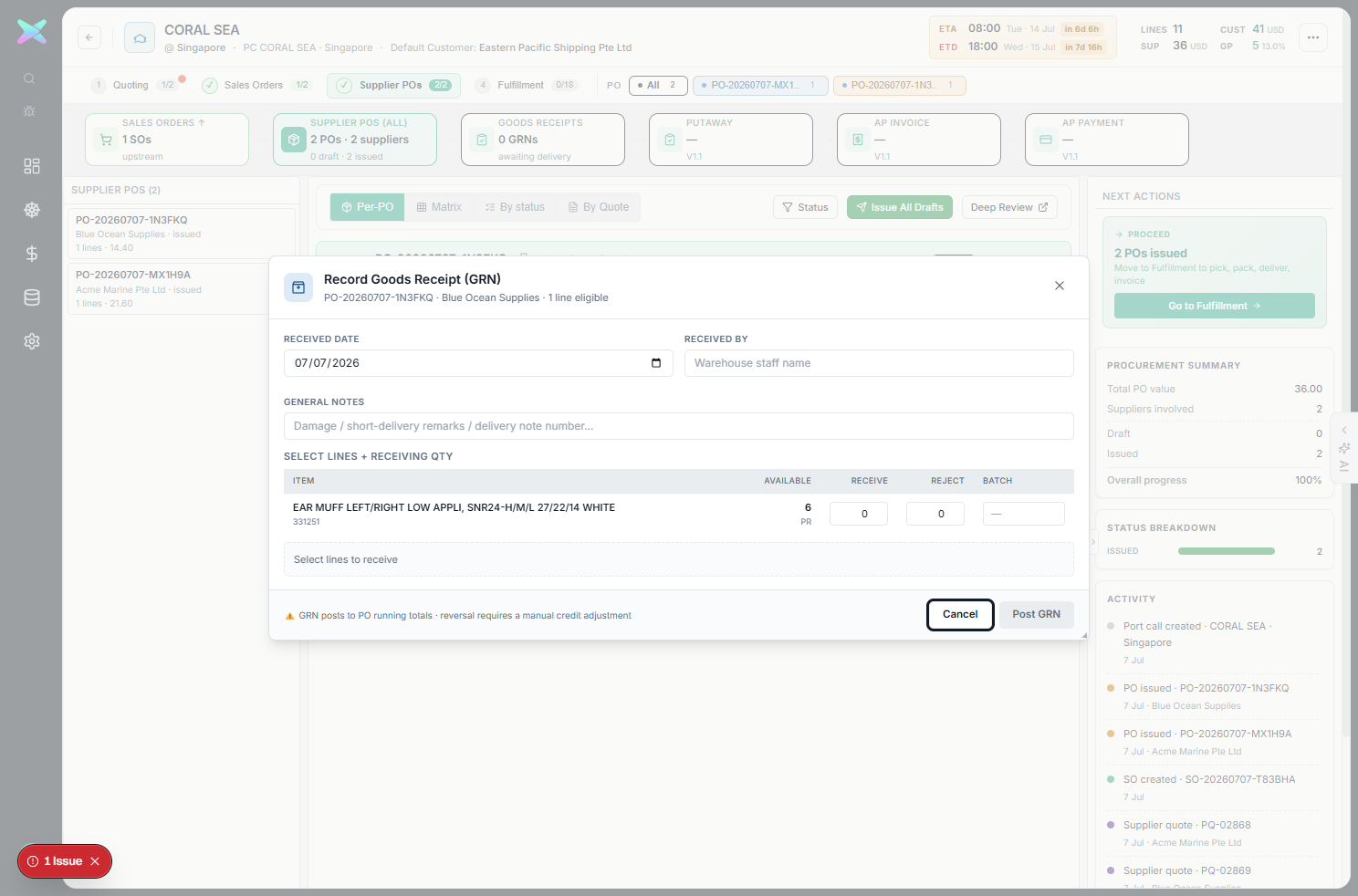
The Record Goods Receipt (GRN) modal for the Blue Ocean PO — RECEIVED BY, per-line received and rejected qty. Posting produced GRN-2026-3FKQ-001. Tip: the two qty boxes are received + rejected — set rejected to 0 for a clean receipt.
5.3 Record the supplier bill
Record Bill preloads the billable (received) quantity and creates a draft AP invoice
(ap_doc). Posting it recognises the payable.
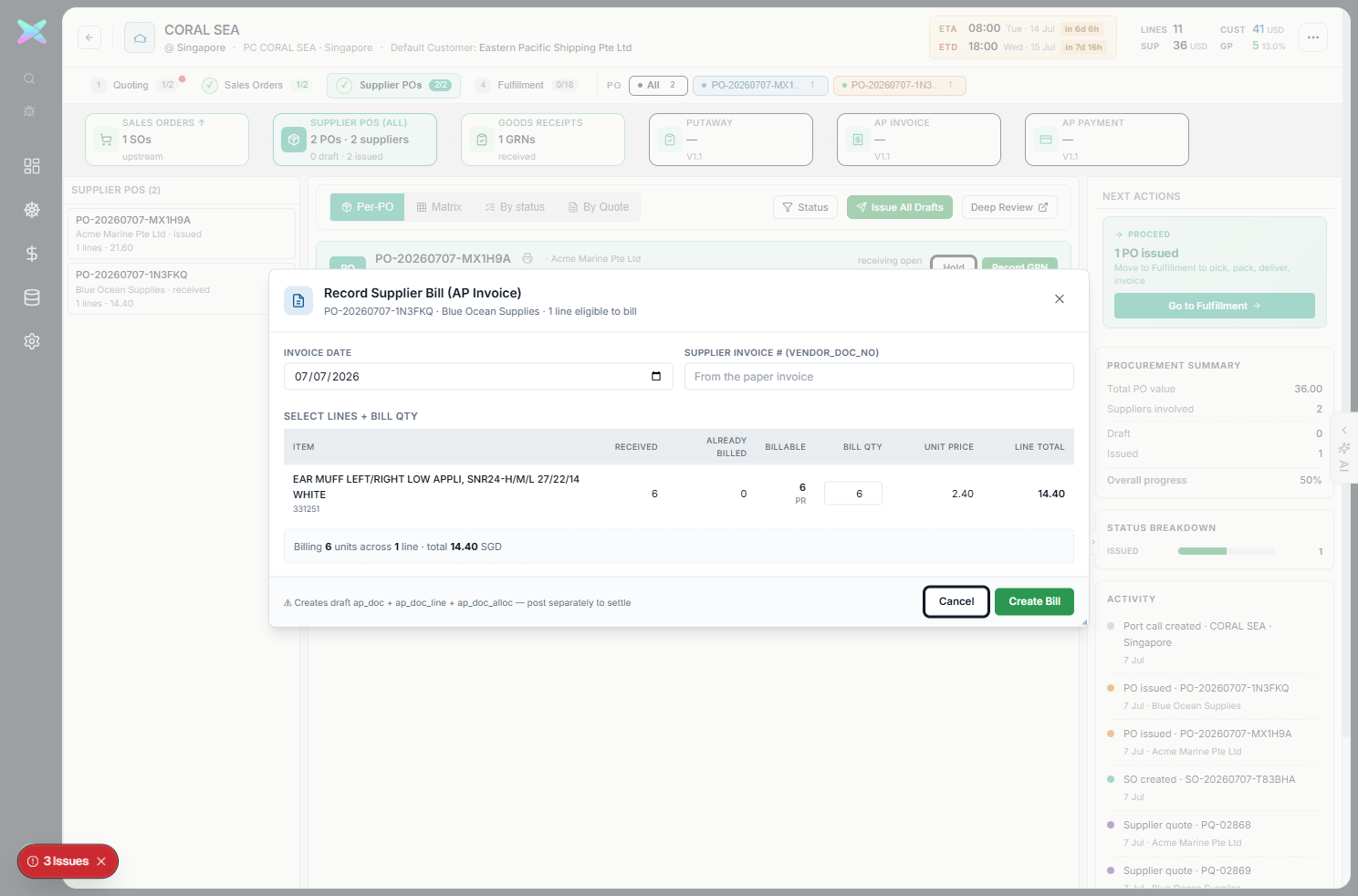
The Record Supplier Bill (AP Invoice) modal — invoice date, the supplier's own invoice number (VENDOR_DOC_NO), and the bill qty (pre-filled from the GRN). This produced BILL-20260707-TSKJJK (14.40).
Description / remark carry. The bill inherits the PO line's description & remark so the AP document
reads the same as the goods that were received and the customer order that drove them.
5.4 Pay the supplier & the populated stage
Post Bill then Pay Supplier loads the supplier's open bills, applies the payment and
Post Payment — auto-settling the AP document and closing the purchase-to-pay loop.
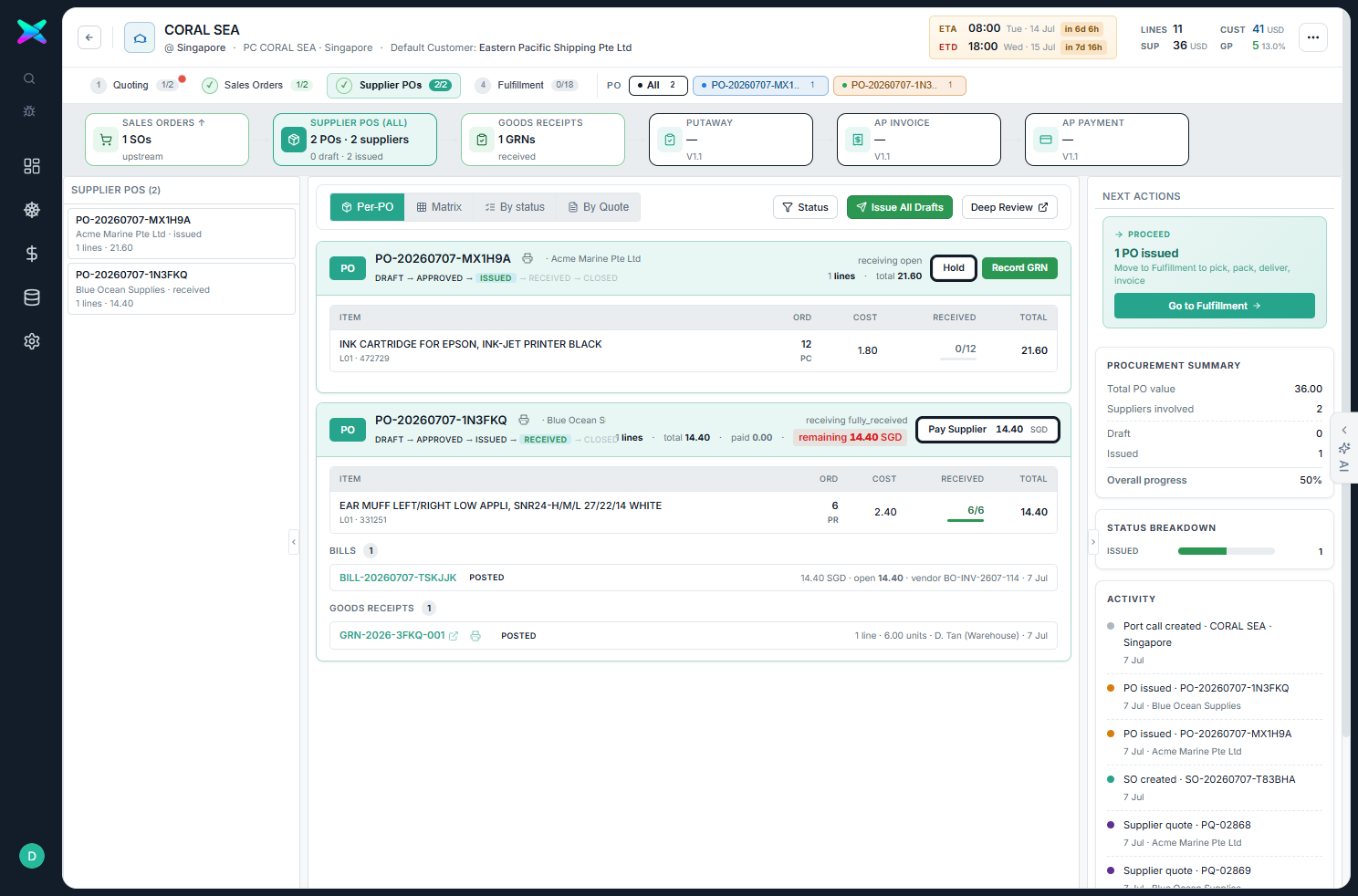
The populated Supplier POs stage for CORAL SEA — the Blue Ocean PO shown received with its GRN and bill, alongside the Acme PO. Right rail: Procurement Summary (total PO value, suppliers involved) and the activity feed (supplier quotes PQ-02868 / PQ-02869, PO + GRN events).
Full cycle, one workbench. RFQ → award → SO → (PO → GRN → bill → pay) and (pick → pack → DO → invoice)
— every document in the CORAL SEA port call is reachable from its four stage tabs, its doc-strip and its activity feed,
with the Financial Summary reconciling customer revenue against supplier cost the whole way.