3 · Sales Orders
Once an RFQ's lines are awarded and its quote accepted, Stage 2 turns it into a sales order. Each SO carries the awarded supplier, cost and sell price per line, tracks pick / pack / deliver / invoice progress, and is where you generate the supplier POs that feed Stage 3. live · CORAL SEA
3.1 Generate the sales order
From the Quoting stage, Create SOs from RFQs (right-rail CTA, once every line is awarded and the quote is accepted) opens the Create Sales Orders from RFQs modal — one SO per awarded RFQ, priced from cost + markup.
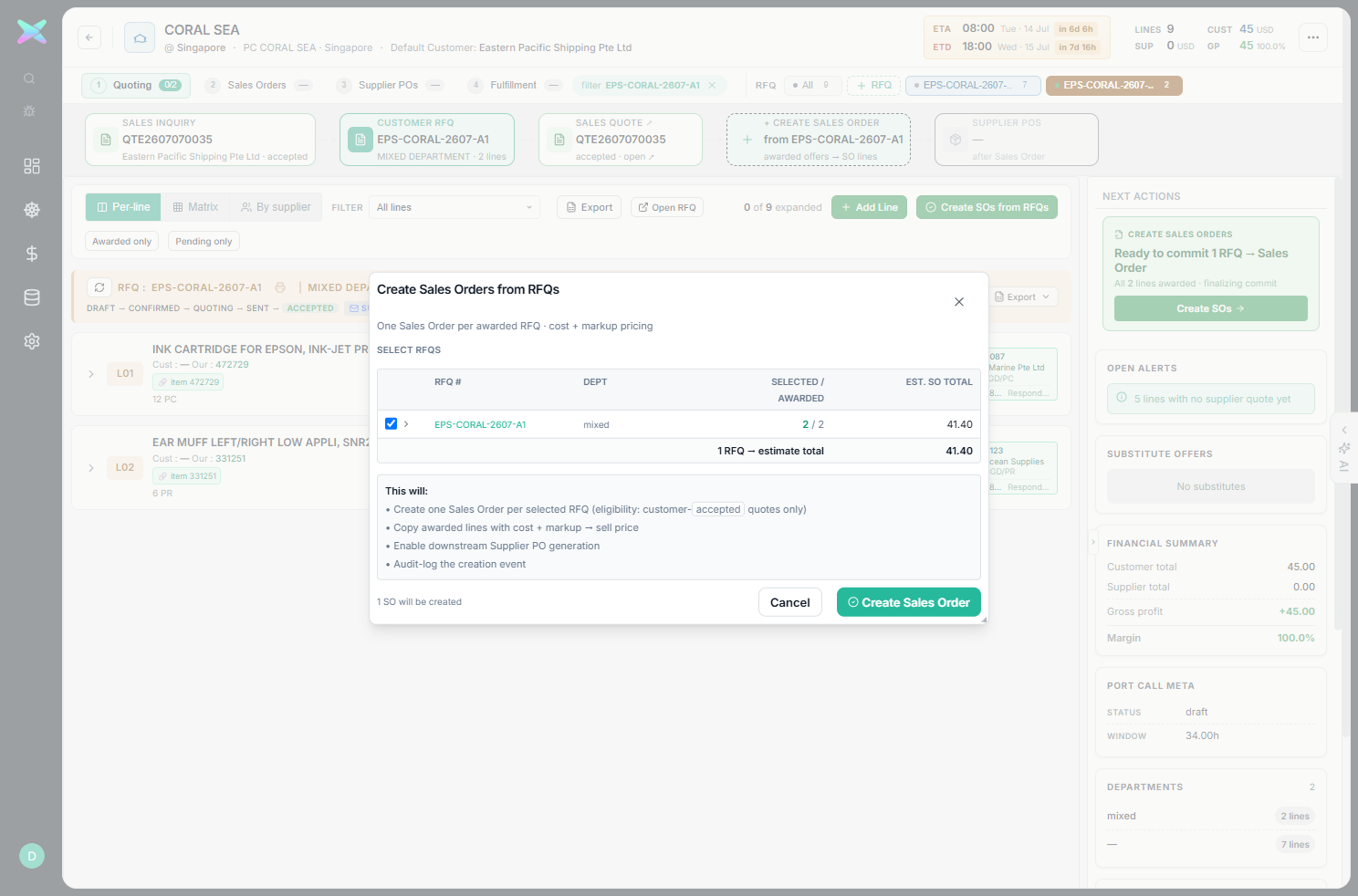
EPS-CORAL-2607-A1 · 2/2 awarded · EST. SO TOTAL 41.40. Click Create Sales Order → confirm; it generates SO-20260707-T83BHA.sent returns "Cannot create a Sales Order from quote … status is 'sent'". Mark the customer's acceptance
first.
3.2 The Sales Orders stage
Press 2 (or click Sales Orders). The left column lists the port call's SOs; focus one (click its row) to load its per-line table and unlock the SO actions.
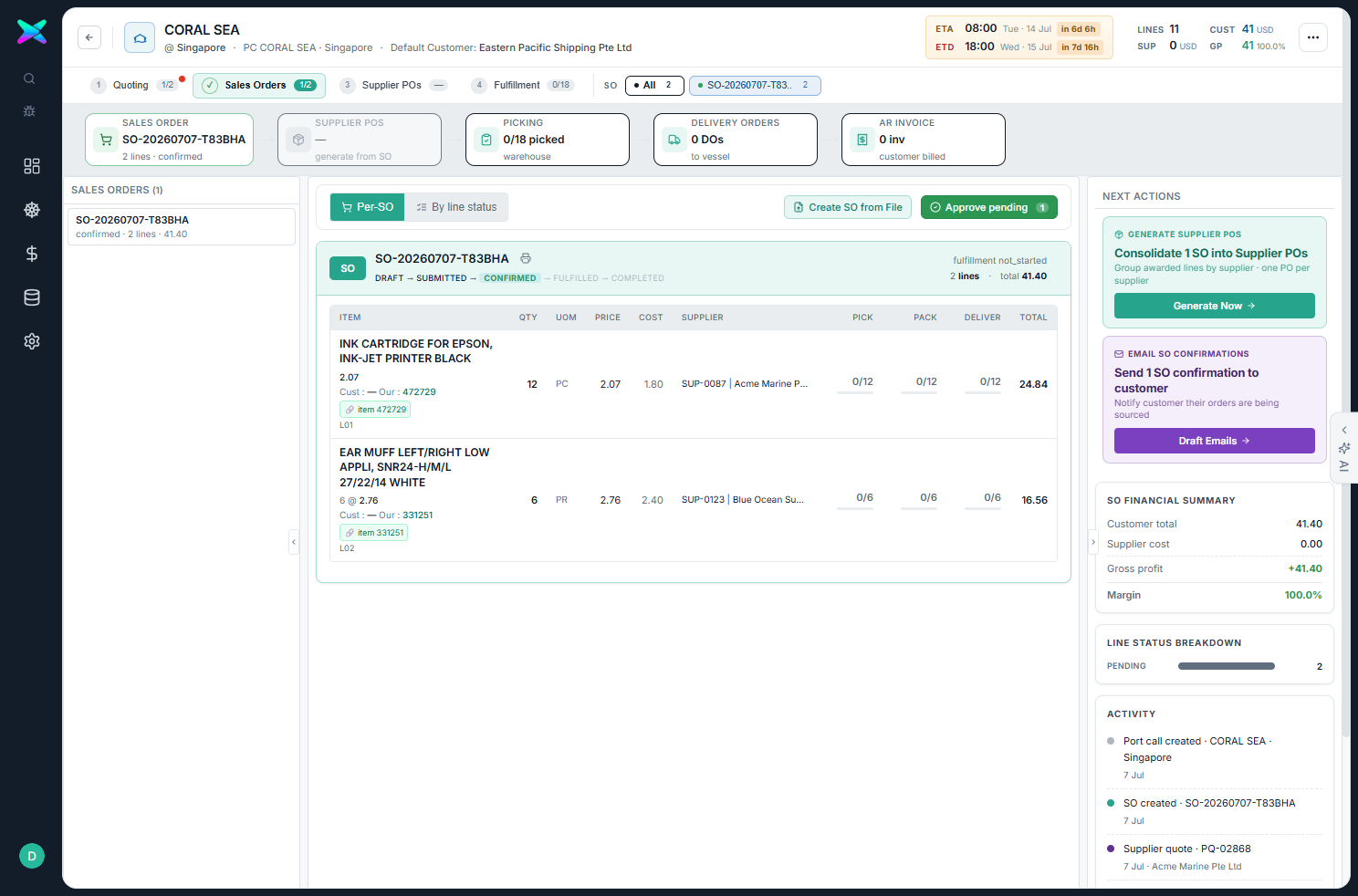
SO-20260707-T83BHA (2 lines · confirmed) · Supplier POs (generate from SO) · Picking 0/18 · 0 DOs · 0 inv. The line table shows each item with QTY · UOM · PRICE · COST · SUPPLIER · PICK · PACK · DELIVER · TOTAL — Epson ink @2.07 (cost 1.80) from Acme, ear-muff @2.76 (cost 2.40) from Blue Ocean. Right rail: Generate Supplier POs · Generate Now, SO Financial Summary (Customer 41.40 / GP +41.40, since supplier cost realises on the PO).- Per-SO vs By line status views: one SO at a time, or every line grouped by pending / invoiced / etc.
- The SUPPLIER column is the awarded supplier carried from Stage 1 — this is what the PO generator uses.
- SO state runs
DRAFT → SUBMITTED → CONFIRMED → FULFILLED → COMPLETED.
3.3 Generate supplier POs from the SO
Focus the SO in the left list, then click Generate POs from this SO → confirm. This generates one
supplier PO per awarded supplier across the SO's lines — for CORAL SEA that produced
PO-20260707-MX1H9A (Acme, 21.60) and PO-20260707-1N3FKQ (Blue Ocean, 14.40). Those flow into
Stage 3.