1 · Create the Port Call
Everything in the workbench hangs off a port call — a vessel arriving at a port within an ETA/ETD window. This section drives the create flow live for CORAL SEA · Singapore and opens its workbench. live drive
1.1 Open the Port Call list
From the sidebar, open Port Call. The list is a DataQuery grid of every call (newest first) with a + New button top-right.
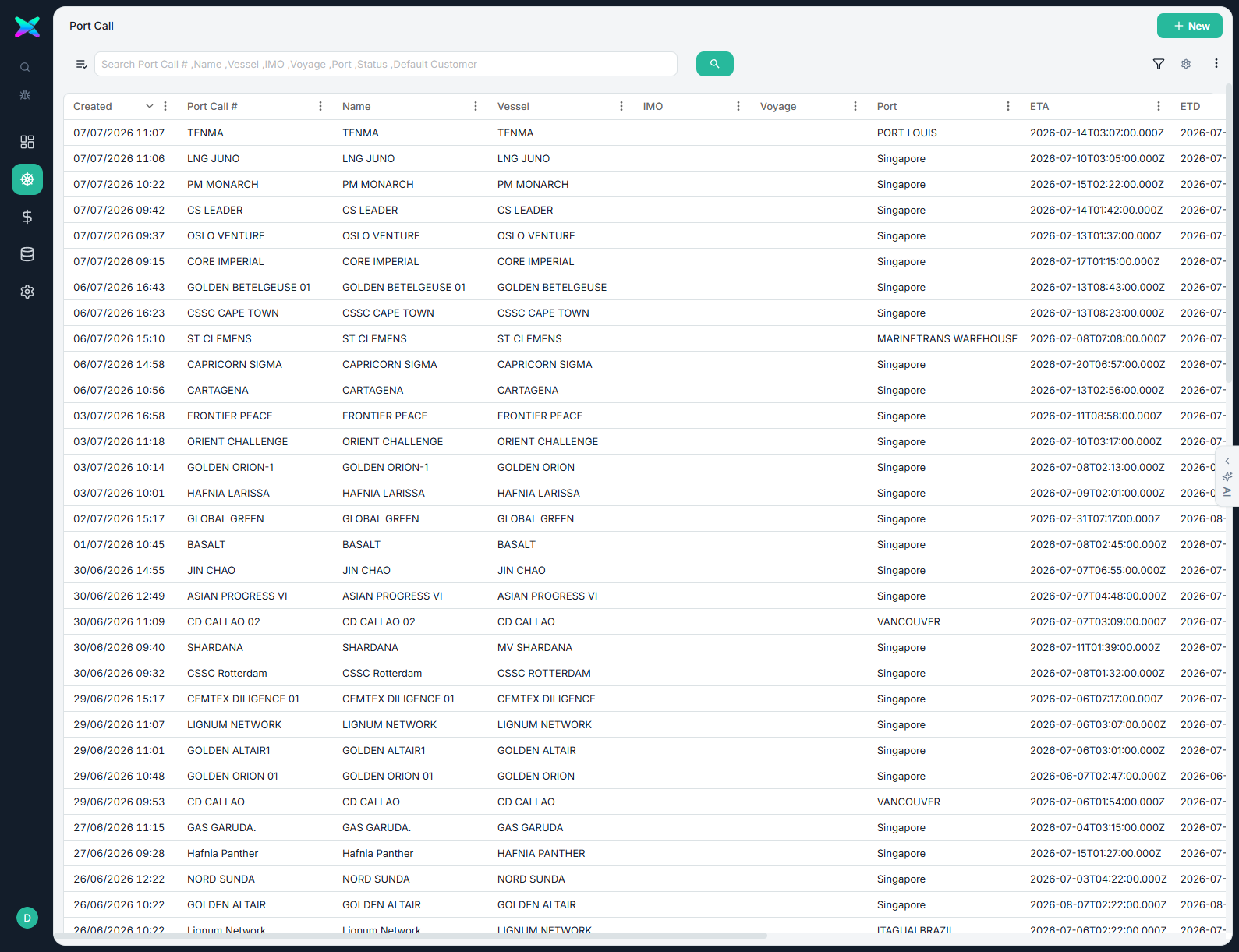
/port-call/new.1.2 The New Port Call form
The form is grouped into Overview, Vessel & Port, Voyage Chain, Schedule, Call Details, Agent & Crew and Notes. Only vessel, port and the ETA/ETD window are required.
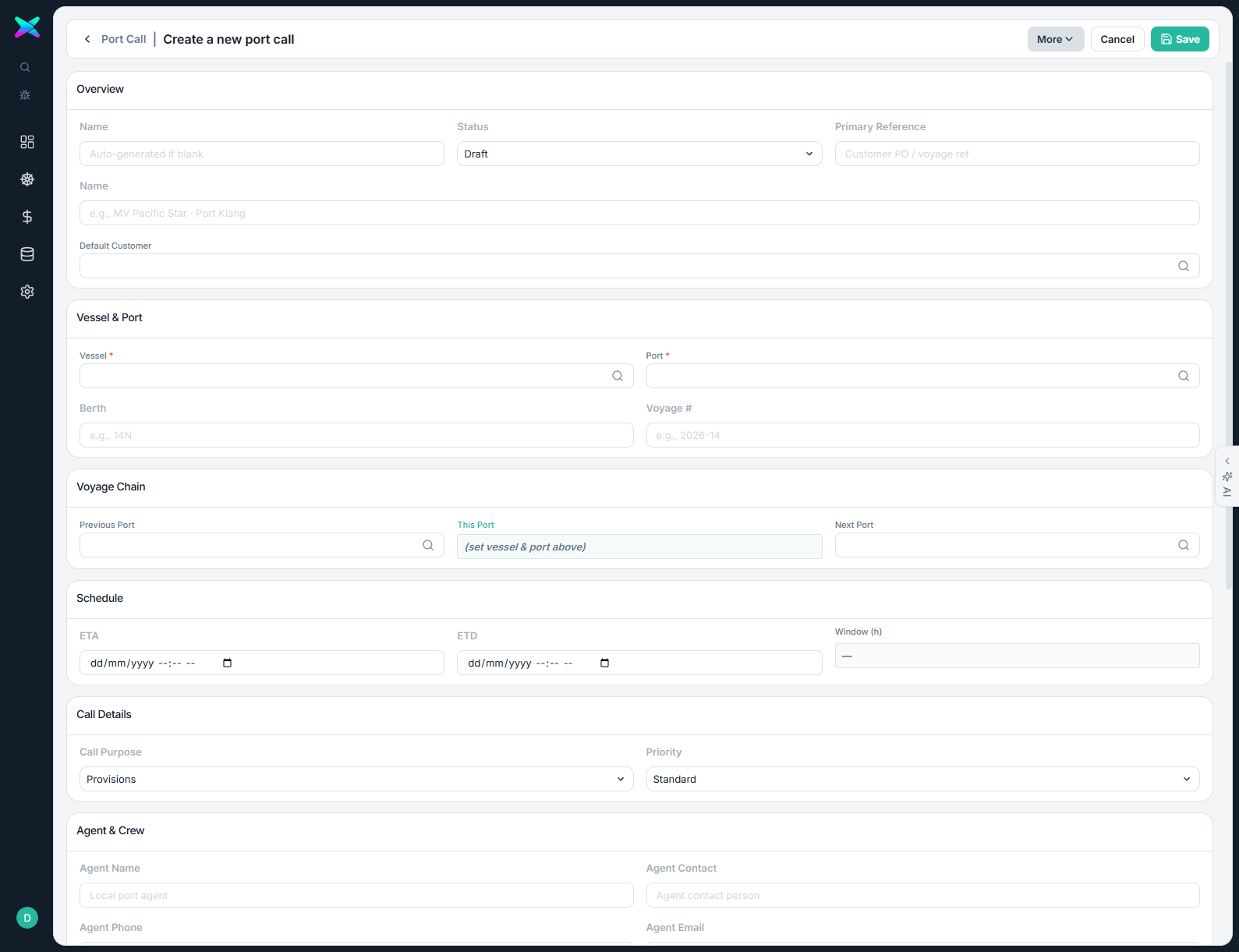
| Field | Value used | Note |
|---|---|---|
| Vessel | CORAL SEA | Picker; picking a vessel auto-fills the Default Customer from the vessel's owner. |
| Port | Singapore (SGSIN) | Picker searching UN/LOCODE, name, country. |
| Name | CORAL SEA · Singapore | Display name for the port-call / business context. |
| Default Customer | E102 · Eastern Pacific Shipping Pte Ltd | Auto-filled from the vessel; overridable. |
| ETA / ETD | 14 Jul 08:00 → 15 Jul 18:00 | Window (34.0 h) computed automatically. |
| Call Purpose / Priority | Provisions / Standard | Defaults. |
1.3 Pick the vessel
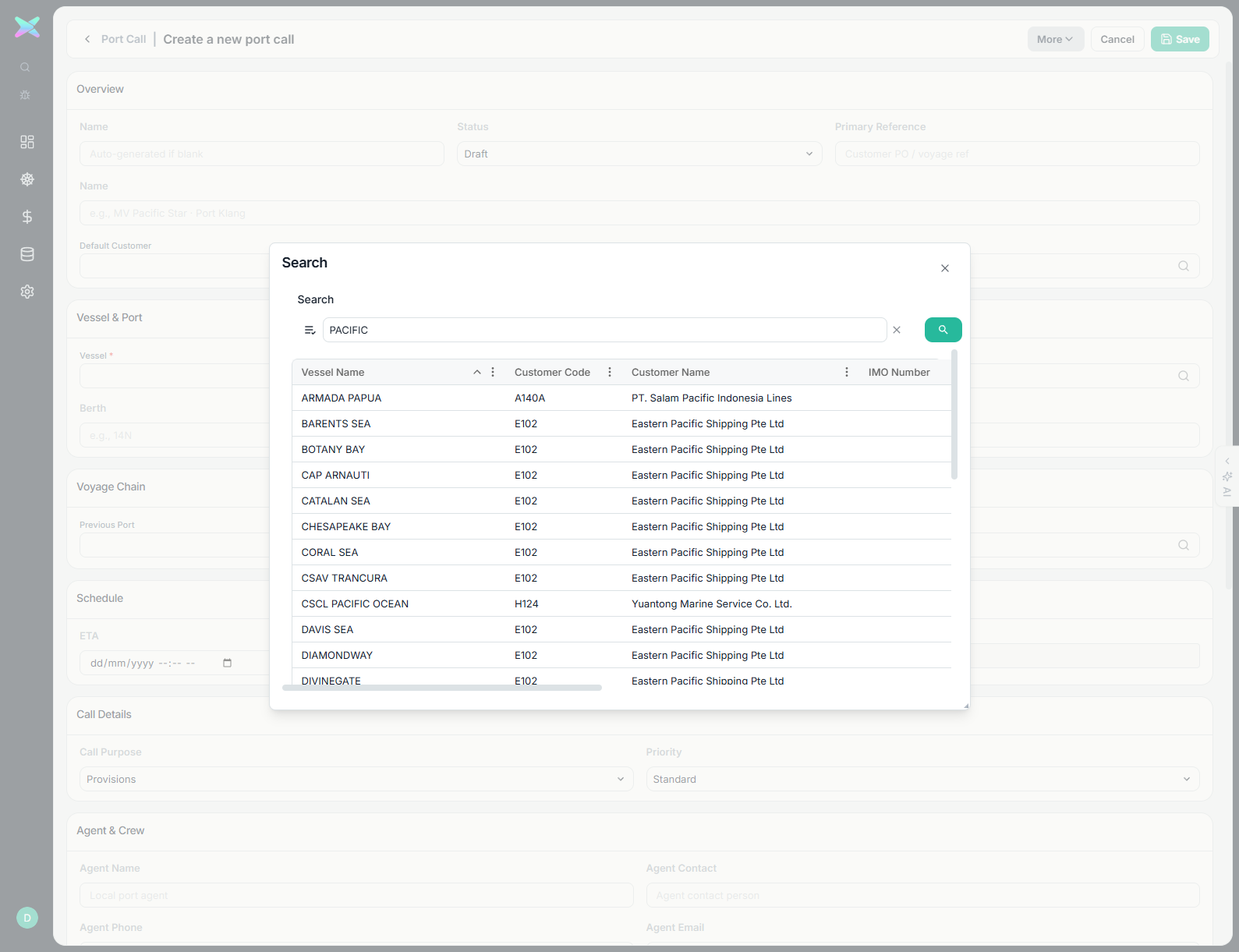
Click the Vessel field to open the Search dialog. Type a term and press Enter to filter, then click a row.
1.4 Fill schedule & save
With vessel + port set, the Default Customer is populated and the This-Port row of the voyage chain mirrors the port. Set the ETA/ETD window and Save.
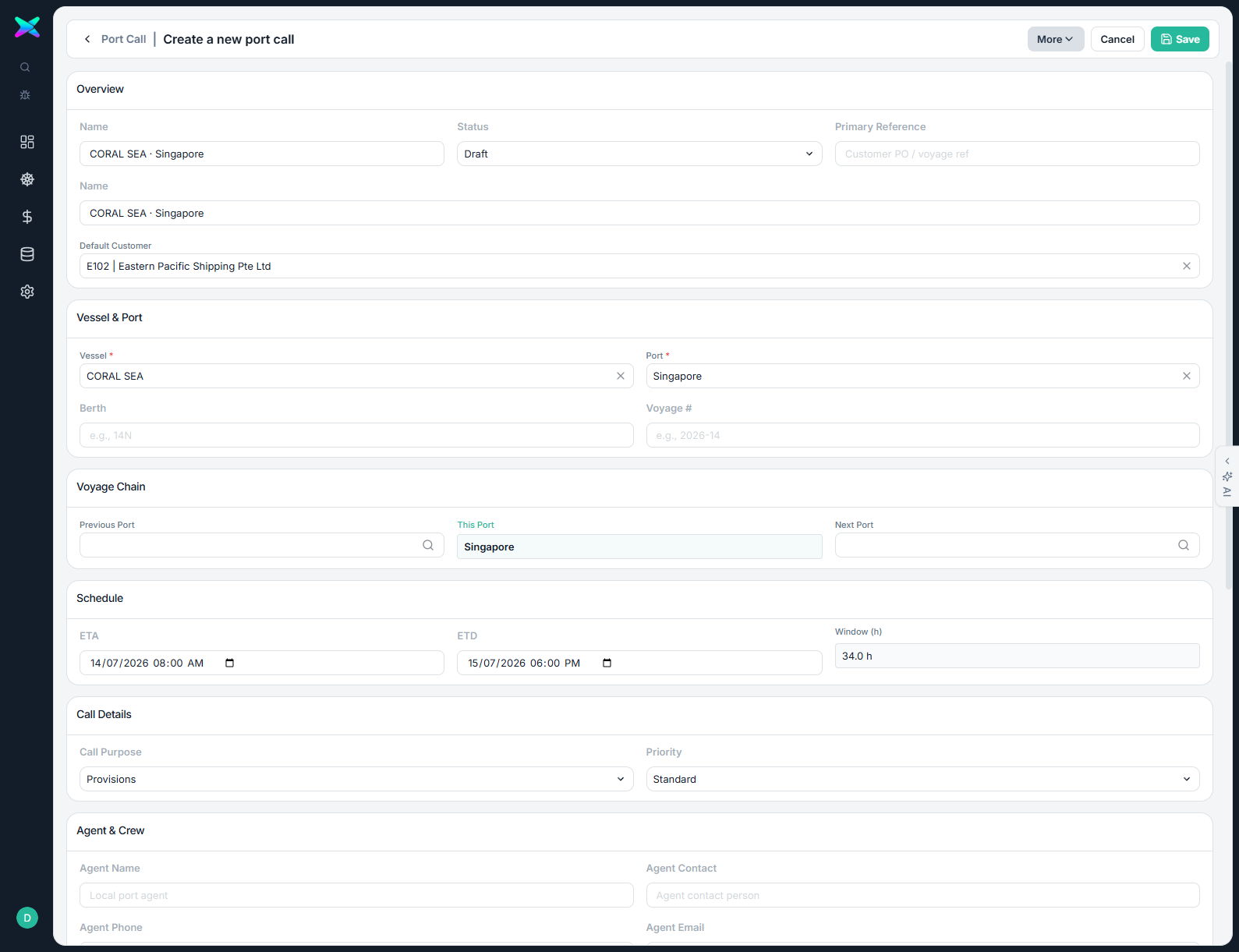
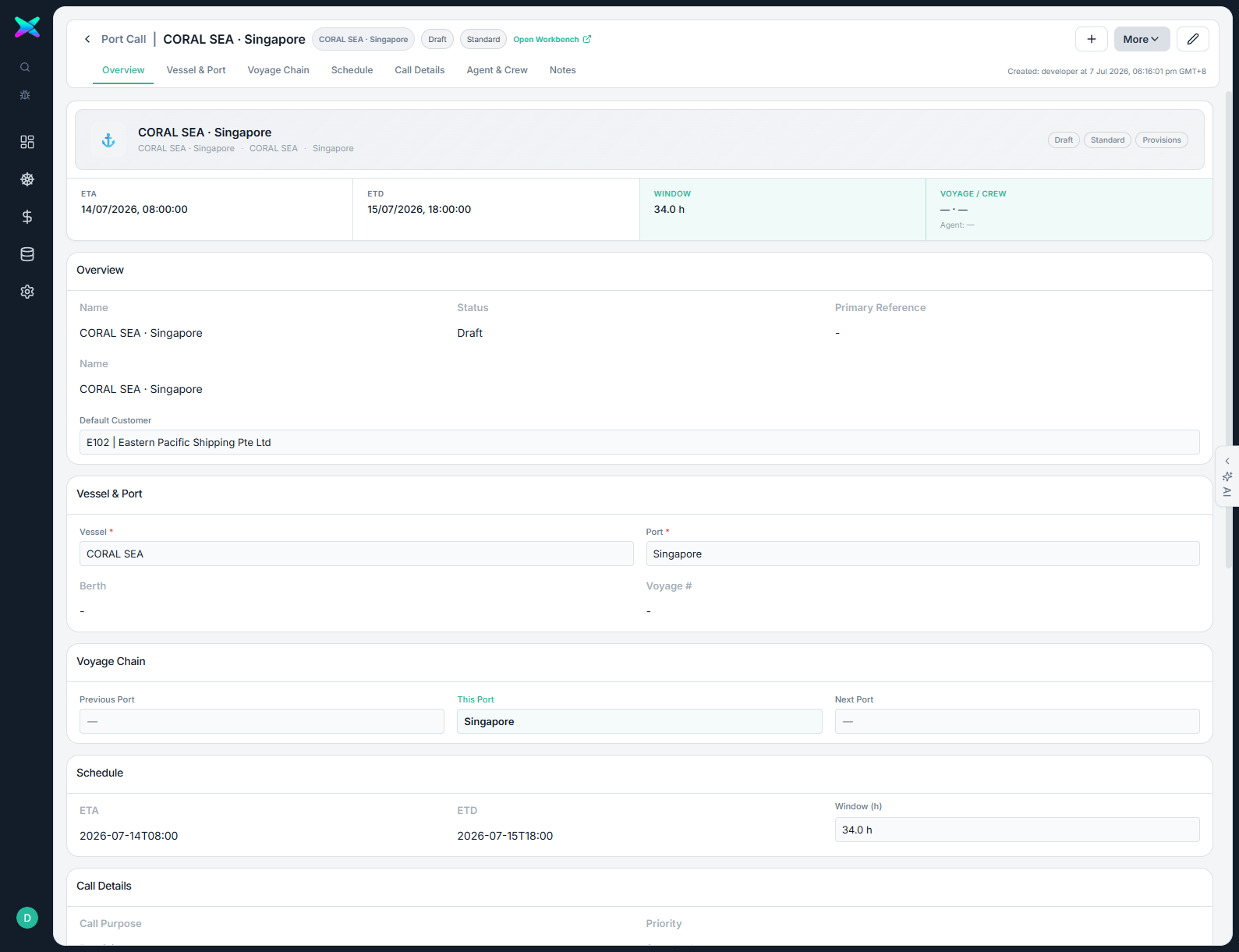
/port-call/01KWY17NT8EGQGRPH2R2NSTVBG — that ULID is the business context id every downstream document is scoped to.1.5 Open the Workbench
Navigate to /port-call-workbench/<bc> to open the PCWB for this call. It opens on
Stage 1 · Quoting with nothing to quote yet.
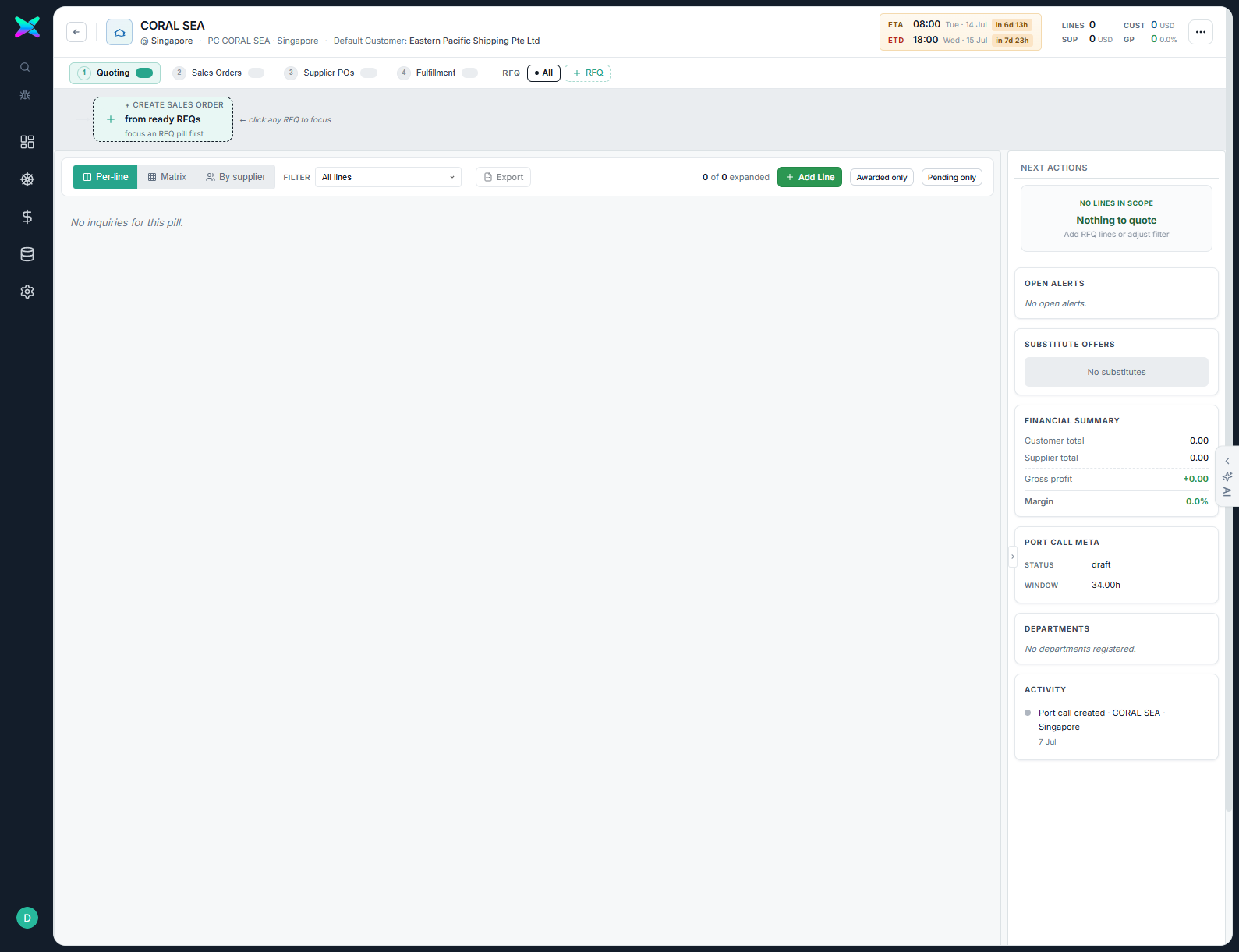
USD here because Eastern Pacific Shipping's default currency is USD;
the RFQ we create in the next section is itself priced in SGD. The workbench tracks both the document
currency and the local currency throughout.