4 · Fulfillment
Stage 4 is the customer-delivery side of a sales order: pick → pack → delivery order → AR invoice → payment. Each SO gets a pipeline card with per-line progress, and the picking / packing / DO / invoice documents materialise as you record each step. live · CORAL SEA
4.1 Record pick & pack
Press 4 (or click Fulfillment) and focus the SO on the left. The SO card exposes
Pick and Pack buttons. Record Pick takes a picker name and a per-line pick qty
(pre-filled to the ordered qty); posting it creates a picking_doc and fills the pipeline's PICK bar. Pack works
the same way and writes a packing_doc.
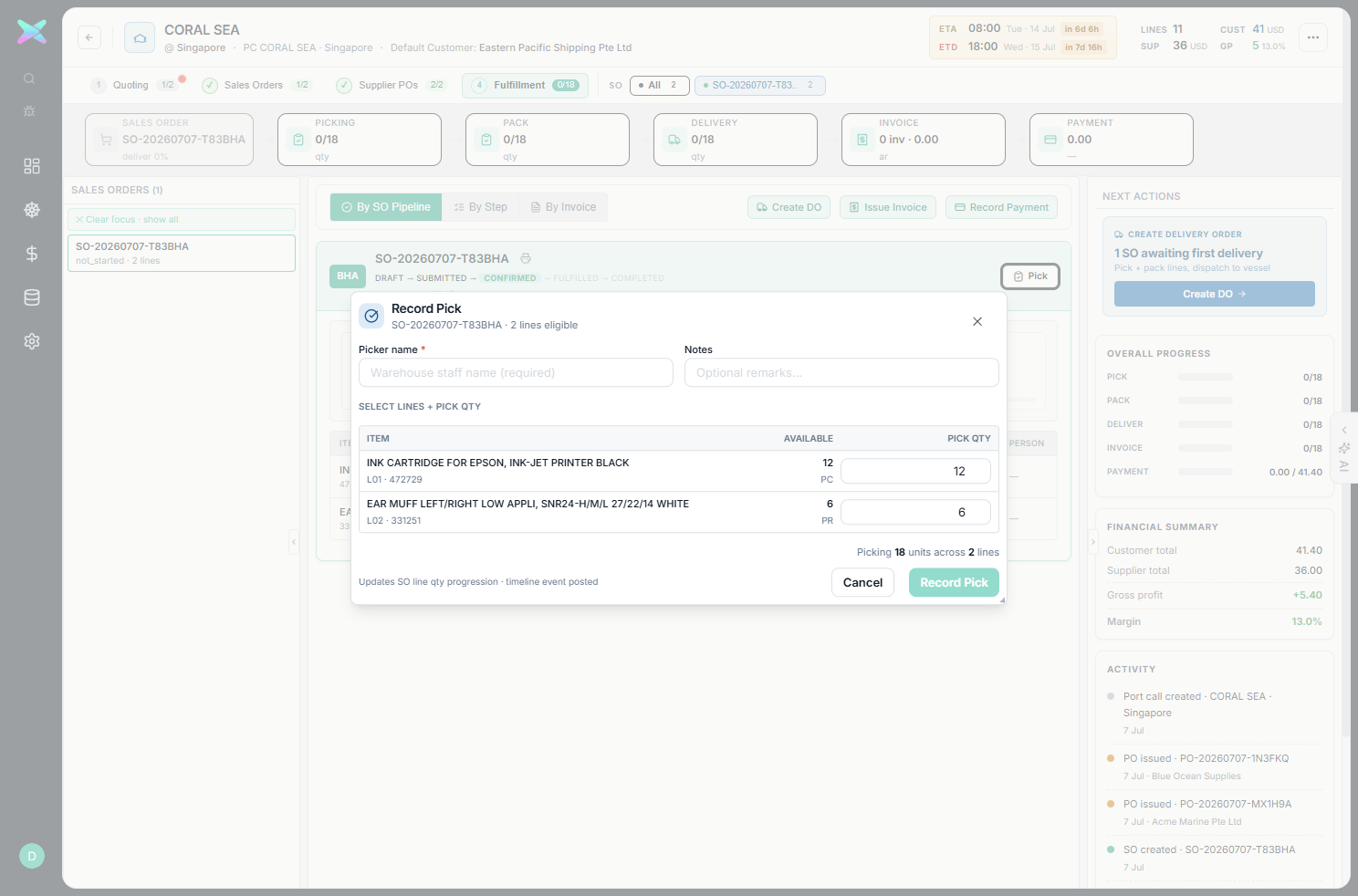
SO-20260707-T83BHA — picker name (required) plus per-line qty (Epson ink 12, ear-muff 6). A two-step confirm follows; the PERSON column later records who picked/packed.- Picking and packing carry the SO line's description + remark, line-number order and shipping mark forward.
- Short-picks are allowed — the bar shows partial progress until the remainder is recorded.
4.2 Delivery order → dispatch → delivered
With the SO focused, Create DO builds a delivery order (recipient + ship qty), and
Create & Dispatch issues it. The DO doc is then Confirmed Delivered
(DRAFT → DISPATCHED → DELIVERED) — invoicing keys off the delivered quantity. The DO carries the
frozen bill/ship address snapshot and the delivery date defaults to the port-call ETA.
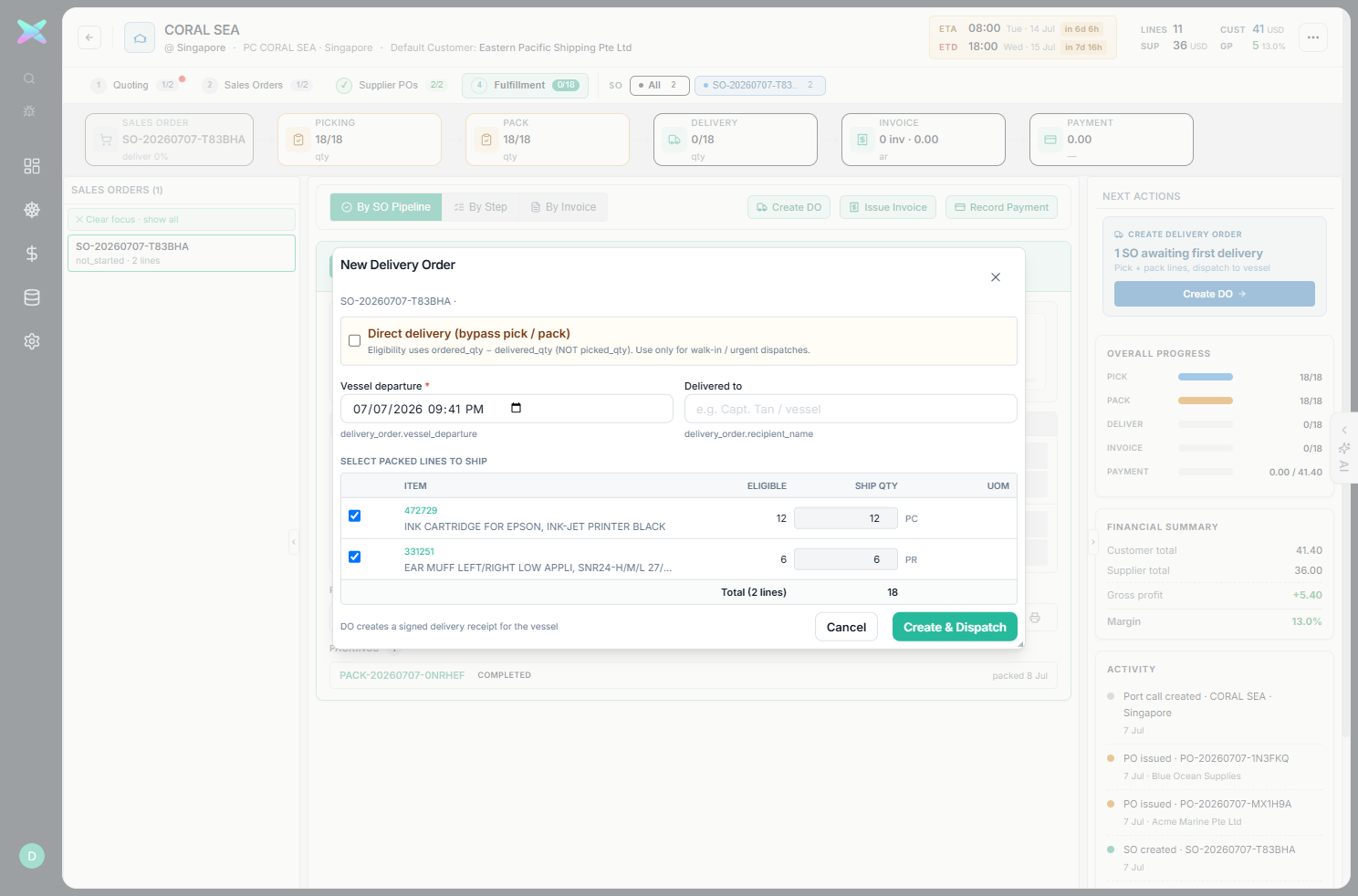
DO-20260707-TSJP8K.4.3 Raise & post the AR invoice
Raise Invoice opens the New AR Invoice modal: choose Per-SO (one invoice per
sales order) or Consolidated (Voyage), pick the SO, and Issue Invoice from the delivered
lines. Opening the draft and clicking Post Invoice moves it DRAFT → POSTED and opens the AR
ledger entry.
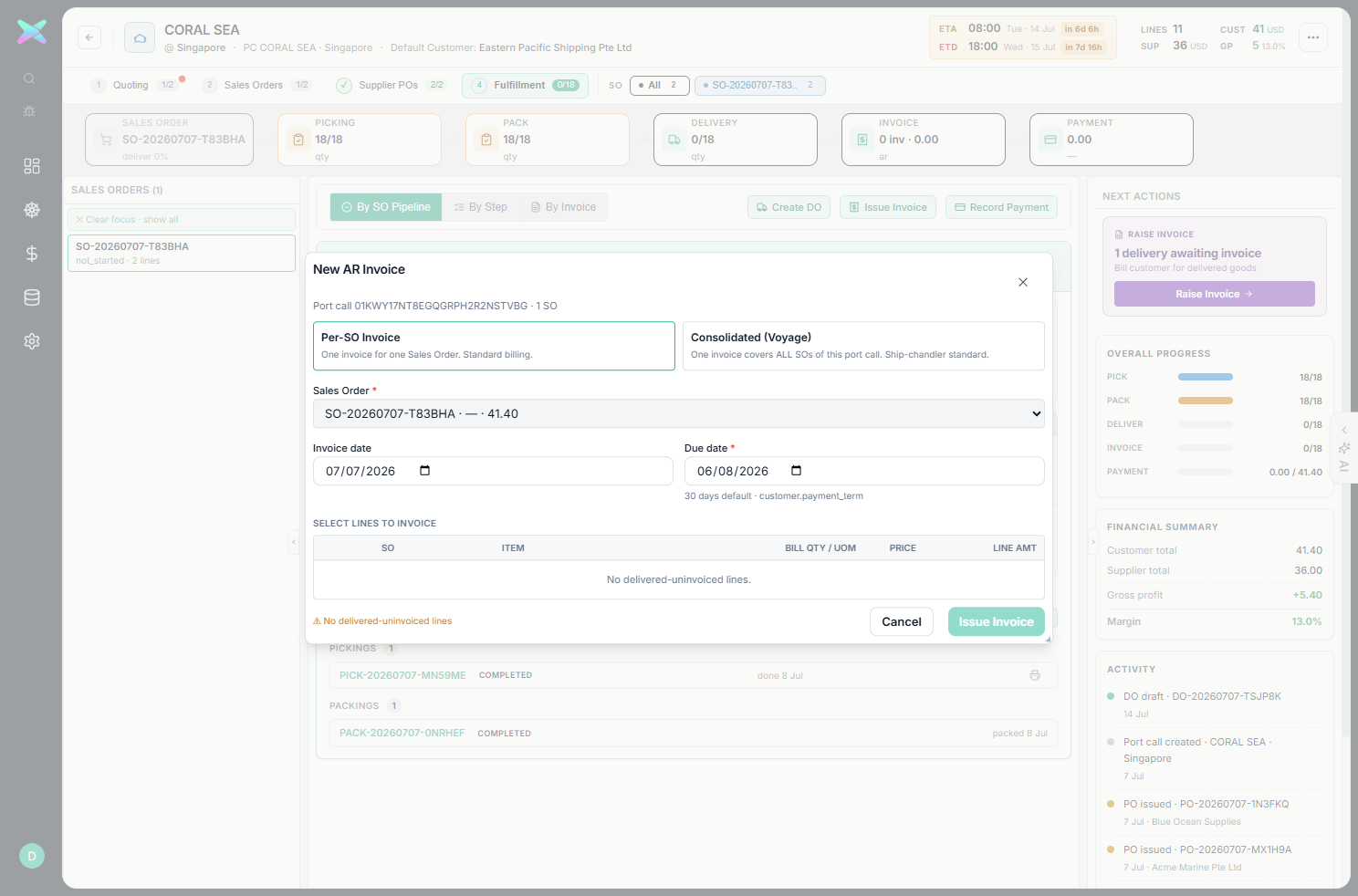
INV-20260707-7SZ96Z (41.40), later posted.4.4 The completed pipeline
Once picked, packed, delivered and invoiced, the SO's fulfillment pipeline is fully green.
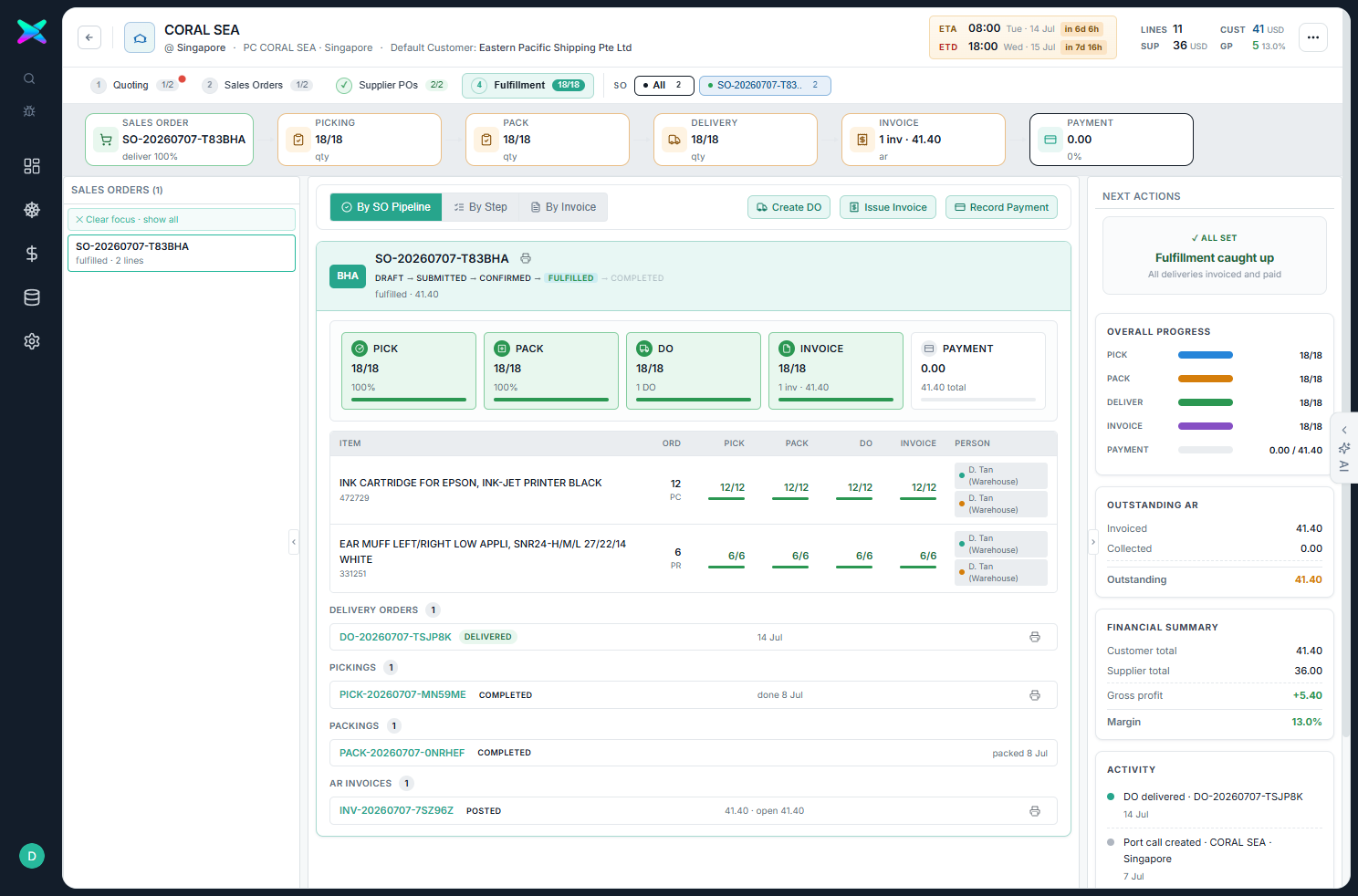
DO-20260707-TSJP8K delivered, PICK/PACK completed, AR INV-20260707-7SZ96Z posted. Right rail: Fulfillment caught up, Outstanding AR 41.40, Financial Summary (Customer 41.40 / Supplier 36.00 / GP +5.40 / Margin 13.0%).