Goods Receipt Note (GRN) Fulfil
The receiving document — you record it when goods arrive against a Purchase Order. It captures how much you received, rejected and accepted on each line, and that becomes the check against the supplier's bill. You record it from the Workbench, then view it here.
Where to find it: the Goods Receipt Note screen in the menu.
What it is
A GRN is the record that goods turned up. For each item on the purchase order it shows what was ordered, what actually arrived, how much you rejected (damaged or wrong), and what you accepted. Those accepted quantities are what the supplier's bill is checked against, so the GRN is the middle step between ordering and paying.
The list
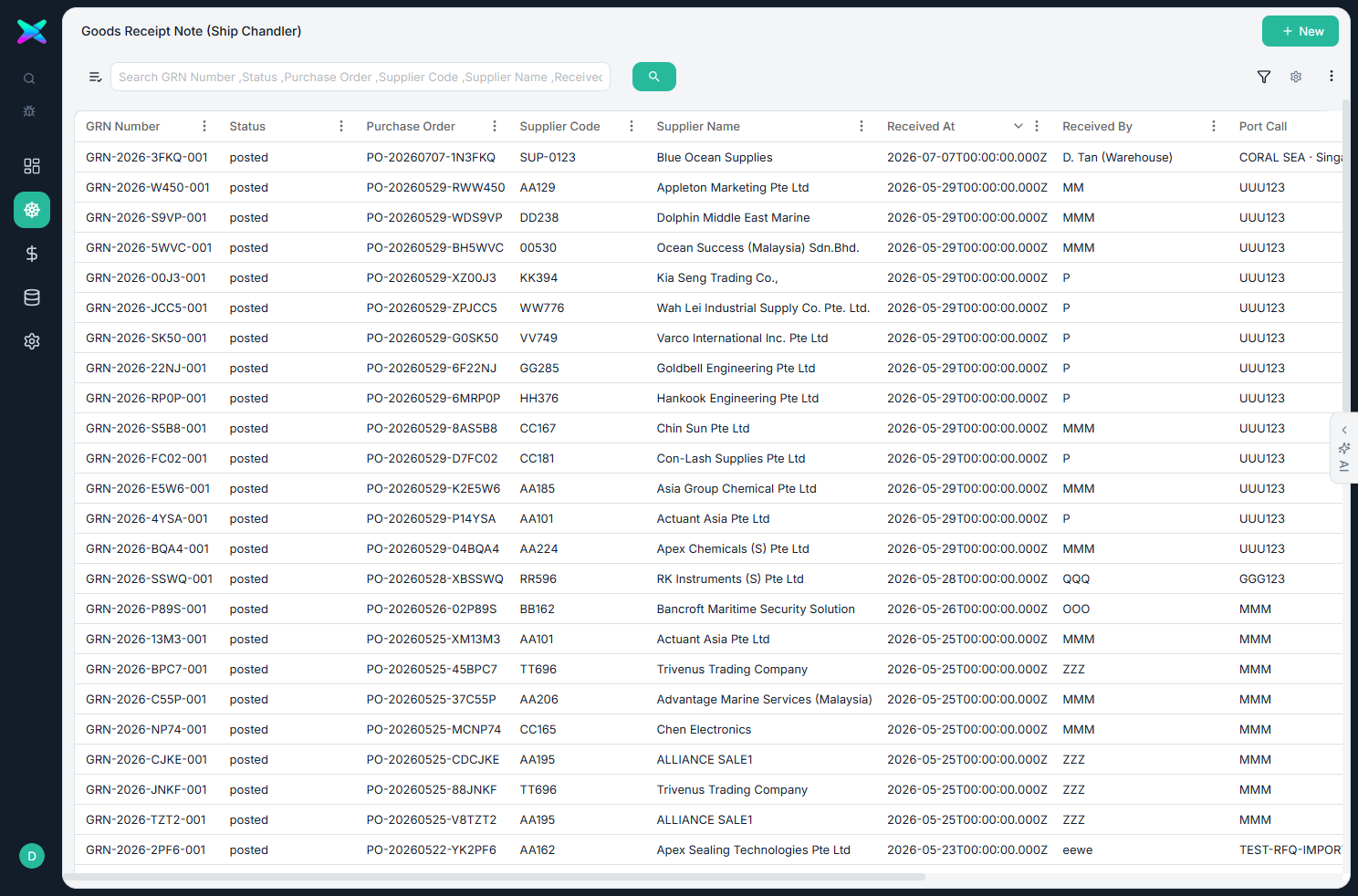
The Goods Receipt Note list shows every receipt, newest first. You don't create one blank here — clicking New sends you to the Port Call, because GRNs are always recorded against a real purchase order in the Workbench.
The form
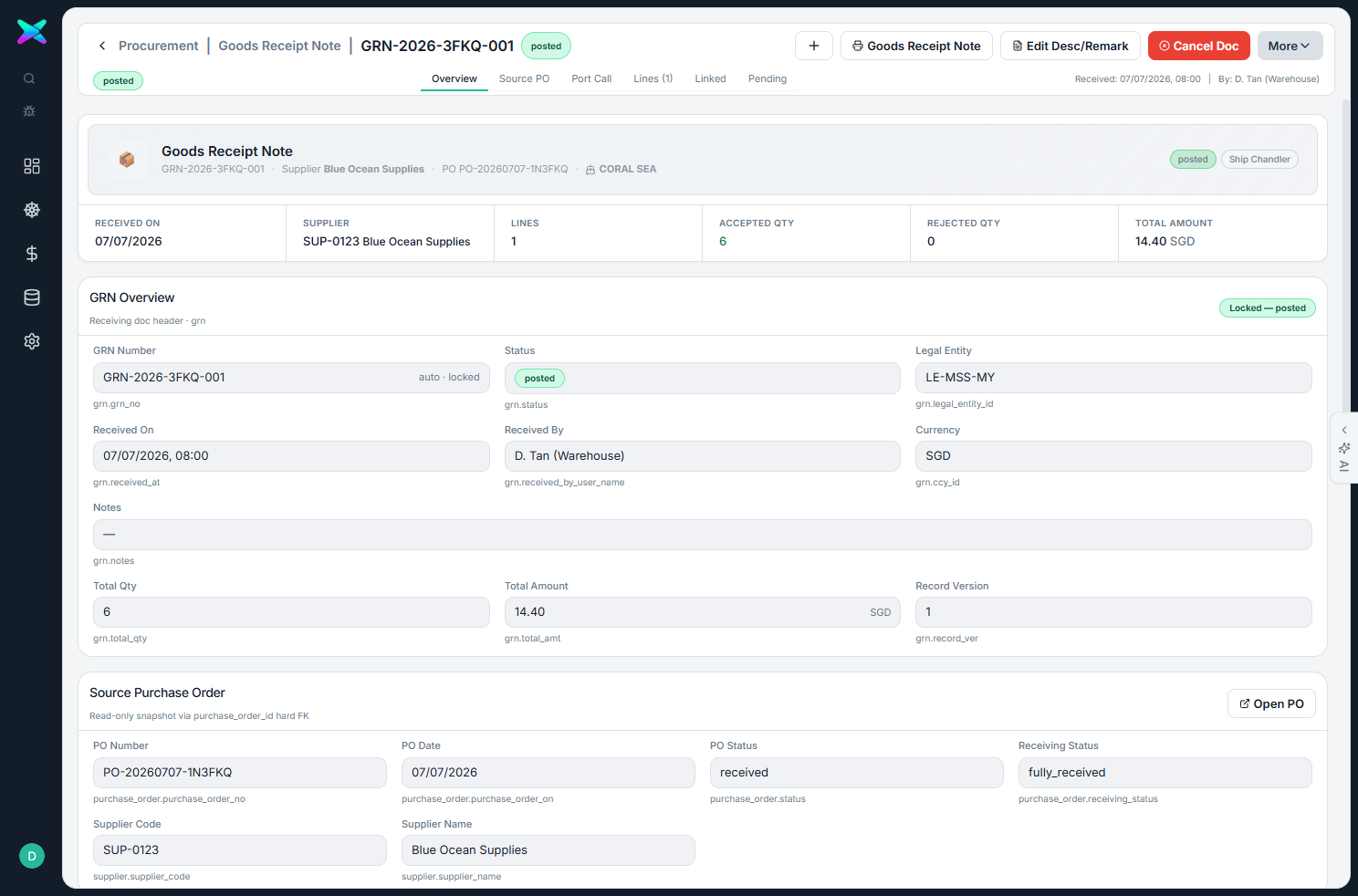
The form here is view-only — you look at a receipt, you don't build it here (you record it from the Workbench). It shows:
| Section | What you see |
|---|---|
| Overview | The receipt header, the purchase order it's against, and the port-call job. |
| Lines | Each item with Ordered, Received, Accepted (received minus rejected), Rejected, unit cost, line amount, and batch or notes. Rejected rows are tinted red, short rows amber. |
| Linked | Related documents. |
The only thing you can change here is a line's description or remark — the quantities and cost stay locked, because they come from the receiving you did in the Workbench.
What you can do
- Cancel a posted receipt — this puts the stock back.
- Edit description or remark only — quantities and cost stay locked.
- See accepted worked out for you — accepted equals received minus rejected on each line, with short and rejected rows highlighted.
How to use
- In the Workbench, at the supplier-PO stage, choose Record GRN against an issued PO and enter the received and rejected quantities.
- Open the GRN here to review it, and print the Goods Receipt Note if you need a copy.
- The accepted quantities are then used to check the supplier's bill.
⬆ Where it comes from
- Receiving against a Purchase Order in the Workbench.
⬇ What happens next
- The AP Bill is checked against it (accepted quantities), so you only pay for what you received.
What you can print
You can print a Goods Receipt Note, showing the accepted, rejected and batch details.