AP Bill (Supplier Invoice) Finance · AP
The supplier's invoice — you record it against a Purchase Order or a Goods Receipt, and each line ties back to what you ordered and received so the numbers can be checked against each other. You can also enter a bill that has no purchase order behind it.
Where to find it: the AP Bill screen in the menu.
What it is
An AP Bill is what the supplier is charging you. It records their invoice number, the amounts and tax, and ties each line back to the order and the goods received, so you can confirm you're being billed for what you actually ordered and got. Once posted, it becomes an amount you owe until it's paid.
The list
The AP Bill list shows every supplier invoice, newest first. Search or filter to find one, then click a row to open it, or use + New to record a bill.
The form
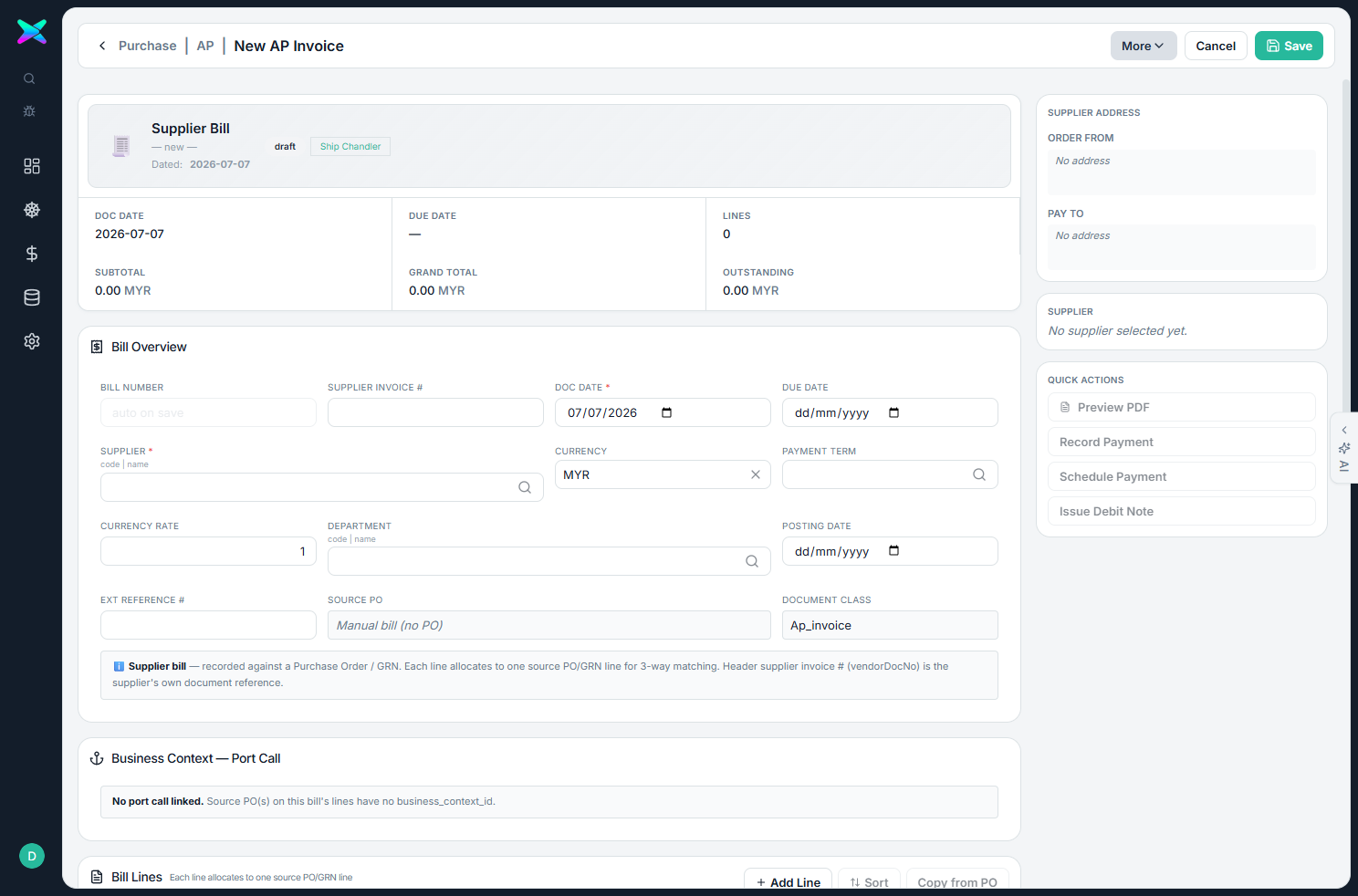
The form is organised into sections:
| Section | What you fill in |
|---|---|
| Bill Overview | Bill number, the supplier's invoice number, document / due / posting dates, the supplier, currency, payment term, FX rate, department, and the source purchase order. |
| Port Call | The job context, carried through from the order. |
| Bill Lines | Each item with its description, the order and receipt line it settles, quantity, amount, tax and line total. You can add lines and sort them. The supplier's order-from and pay-to address is shown too. |
The bill tracks the outstanding amount as total minus what's been paid.
What you can do
- Post the bill to commit it as an amount you owe. It can only be cancelled while nothing has been paid against it.
- Tie each line to the order and receipt so the ordered, received and billed amounts all agree.
- Generate it from a PO or a GRN — the supplier, invoice details and lines are filled in for you — or enter a manual bill with no purchase order.
How to use
- Generate the bill from the Purchase Order or the GRN (or use + New for a manual bill), and enter the supplier's invoice number.
- Check the line allocations and tax, then Post Bill.
- Settle it with a Supplier Payment.
⬆ Where it comes from
- A Purchase Order or a GRN, or entered by hand.
⬇ What happens next
- Paid off by a Supplier Payment.
What you can print
None yet.