Supplier Payment Finance · AP
How you pay a supplier. You record a payment — by cheque, wire or cash — and then spread it across the open bills it settles.
Where to find it: the Supplier Payment screen in the menu.
What it is
A supplier payment records money going out to a supplier and which of their bills it clears. One payment can settle several bills at once, and the app keeps track of how much of the payment you've applied against bills versus how much is still unapplied.
The list
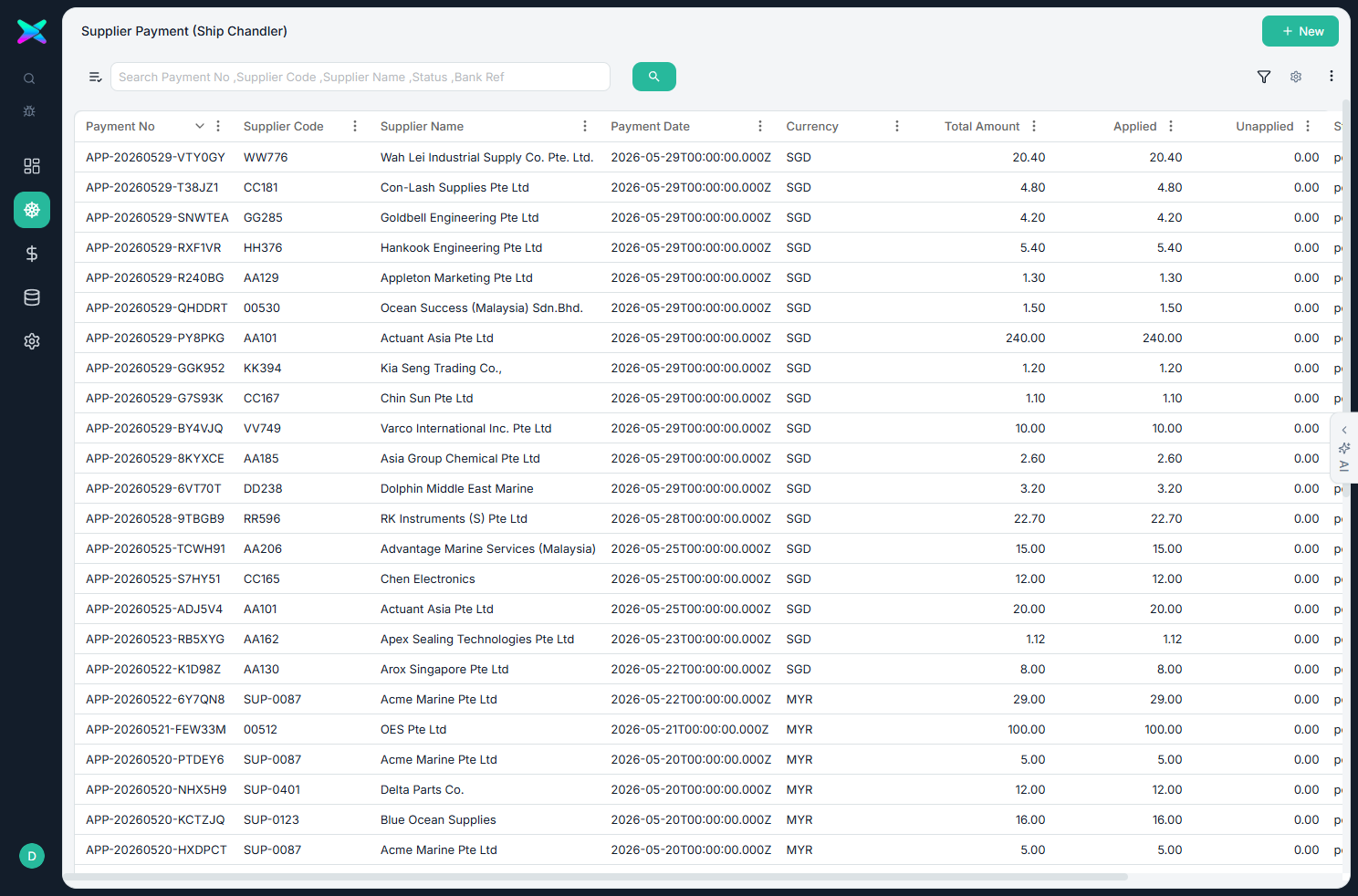
The Supplier Payment list shows every payment, newest first. Search or filter to find one, then click a row to open it, or use + New to record a payment.
The form
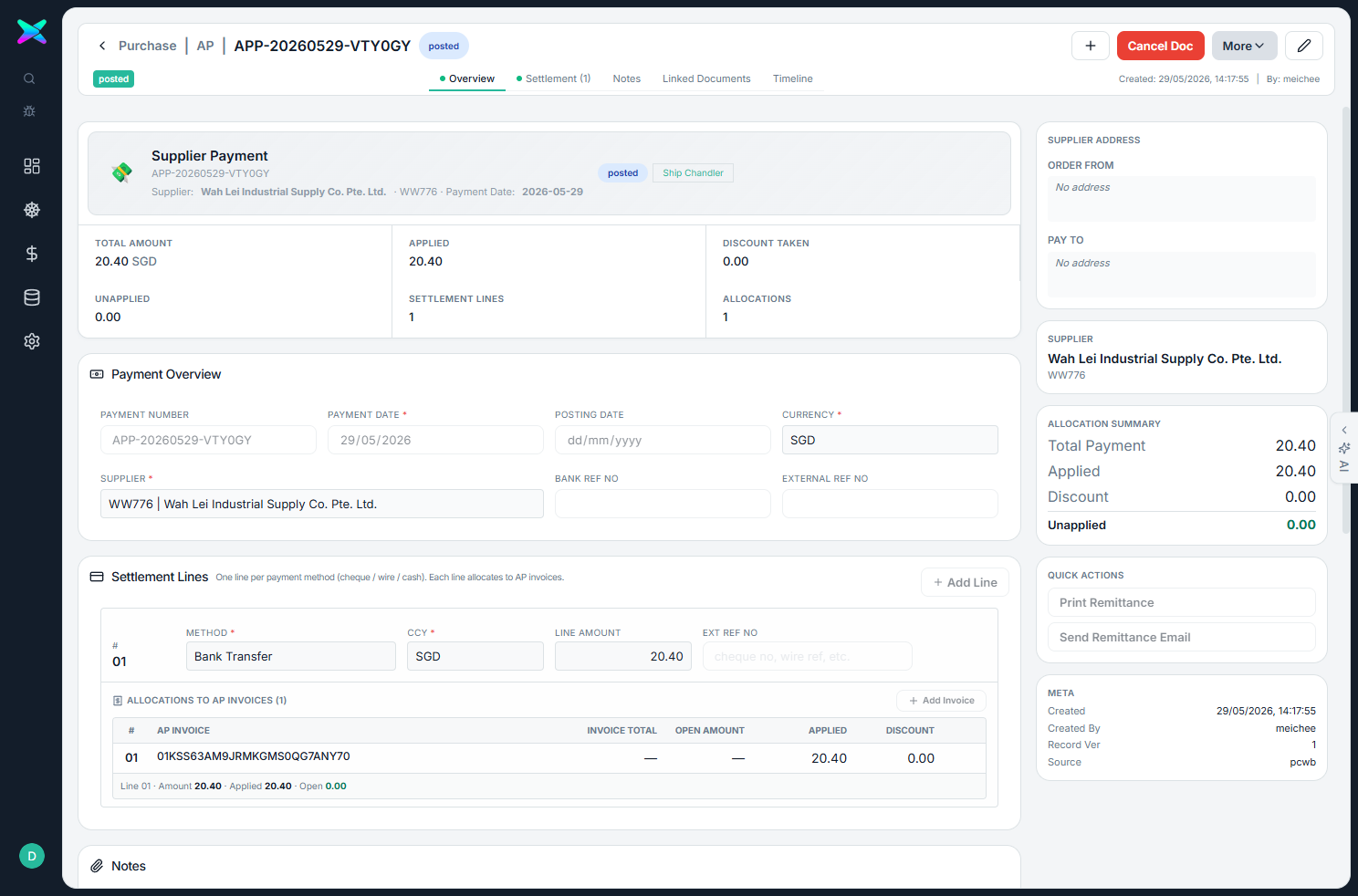
The form is organised into sections:
| Section | What you fill in |
|---|---|
| Overview | Payment number, payment and posting dates, currency, the supplier, and the bank reference. |
| Settlement lines | The method (bank transfer, wire, cheque, cash…), currency and amount. Each line has an Allocations table underneath where you pick the open bills it pays. |
| Right panel | FX and bank charges, the supplier address, a summary of what's been allocated, and whether it's ready to post. |
What you can do
- Post the payment to apply it to the bills. You can't post while any of it is still unapplied, and cancelling reverses what was settled on those bills.
- Split one payment across many bills from a single settlement line.
How to use
- Use + New (or start from an AP Bill, which pre-picks that bill for you).
- Add a settlement line with the method and amount, then allocate it across the open bills.
- Post once the unapplied amount reaches zero.
⬆ Where it comes from
- Open AP Bills waiting to be paid.
⬇ What happens next
- Clears the outstanding amount on those bills.
What you can print
None yet.