AR Invoice (Customer Invoice) Finance · AR
The customer invoice — what you bill the customer for. You can raise it from delivered goods, from a sales order, or from a whole port call. It records what the customer owes, and is settled later by a Customer Payment.
Where to find it: the AR Invoice screen in the menu.
What it is
An AR Invoice is the bill you send the customer. It lists the items, quantities and prices, adds tax, and tracks how much has been paid versus how much is still open. Once posted, it becomes a receivable the customer can settle with a payment.
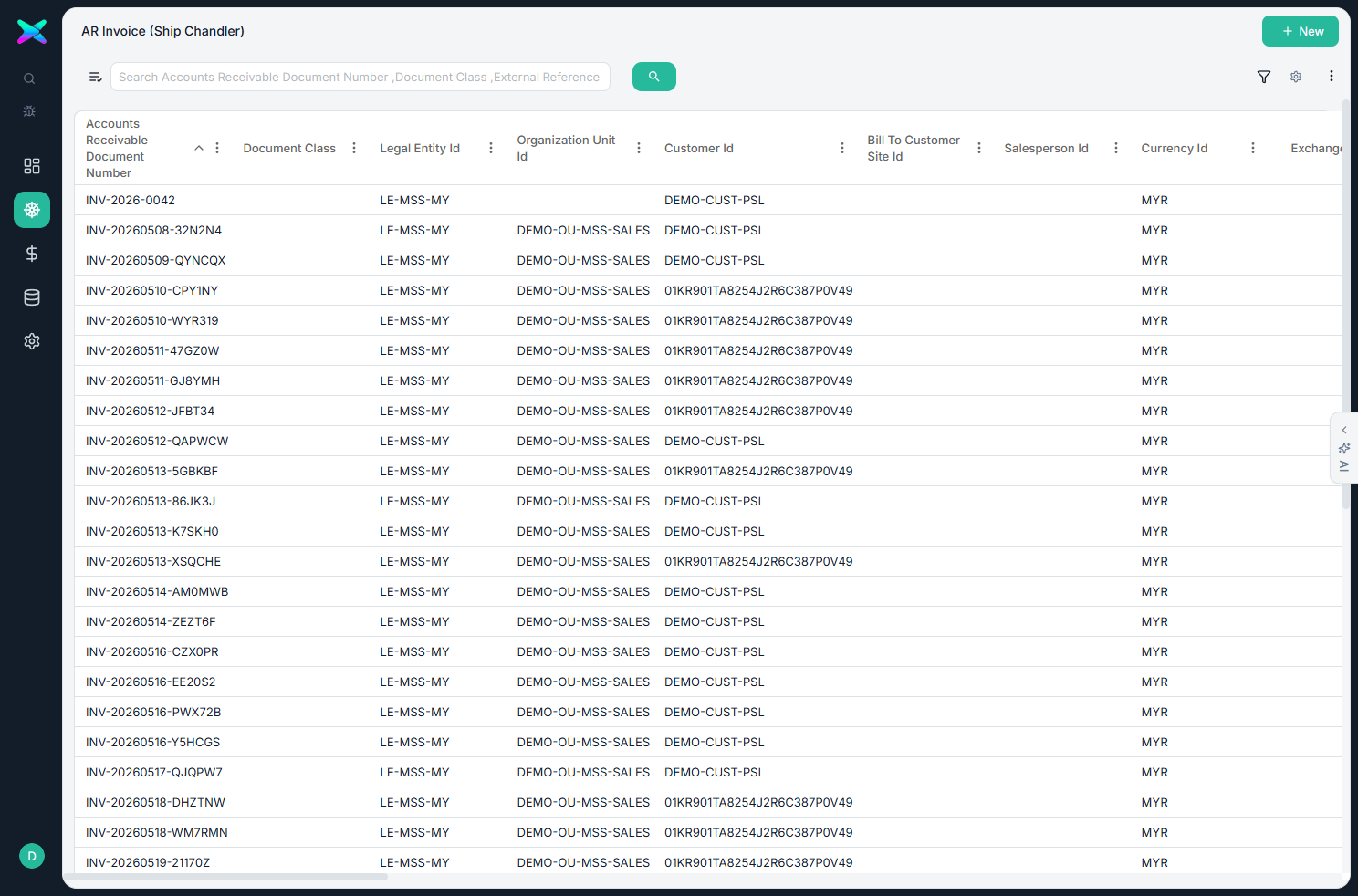
The list
The list shows every invoice. Use + New to start one, though invoices are usually generated from a delivery, order or port call.
The form
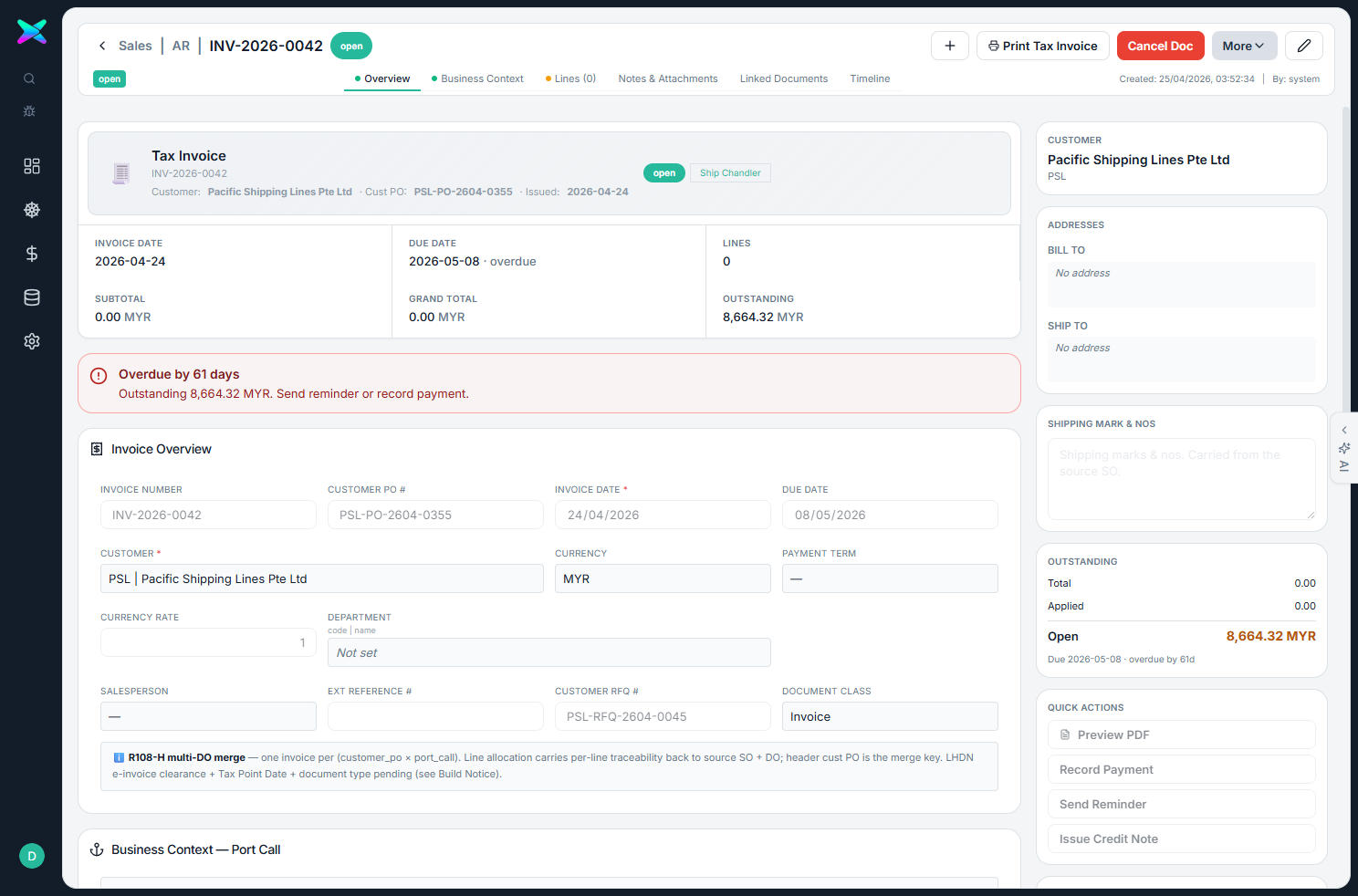
The form is organised into tabbed sections:
| Section | What you fill in |
|---|---|
| Overview | Customer, currency, payment term, department, employee, the billing type, and the document and due dates. |
| Business context — Port Call | The vessel, port and dates for the visit. |
| Lines | Each item, its quantity, unit price, tax and total. |
| Bill / Ship address | The frozen bill-to and ship-to addresses. The form also tracks how much is applied versus still open. |
What you can do
- Post the invoice. It moves draft → posted → paid (or reversed). Post Invoice commits it to the customer's account.
- Track the open amount. The remaining balance is worked out for you, and that's what a Customer Payment can be applied to.
- Three ways to raise it. From a delivery (by delivered quantity), from a sales order, or from a whole port call as one consolidated invoice for the visit.
How to use
- Generate it from a delivered order, the sales order, or the port call (often from the Workbench's Raise Invoice).
- Check the lines and tax, then Post Invoice.
- Print the Tax Invoice, and collect the money via a Customer Payment.
⬆ Where it comes from
- A delivered Delivery Order, a Sales Order, or a whole Port Call.
⬇ What happens next
- A Customer Payment settles it against the open amount, and it appears in the AR aging.
What you can print
- Tax Invoice — the customer's invoice.
- Tax Voucher — the voucher-style variant.
The form's top-bar prints just this invoice; the older single-document reports stay available from a Print (Legacy) card in the right sidebar. To print several invoices together, tick them on the list and use its Print menu — see Batch Printing.