Vessel Master
The Vessel is the ship you supply goods to. Each record identifies one ship — its name, IMO number, flag and type — and links it to the customer who owns or manages it. Once a vessel exists, you can pick it on a Port Call and everything on the sales side follows from there.
Where to find it: the Vessel screen in the menu.
What it is
A vessel record is a simple entry for one ship. It records who the ship is (name and IMO number), a few details about it (type, flag, year built, tonnage), and which customer it belongs to. You set it up once and then reuse it every time that ship comes into port.
The list
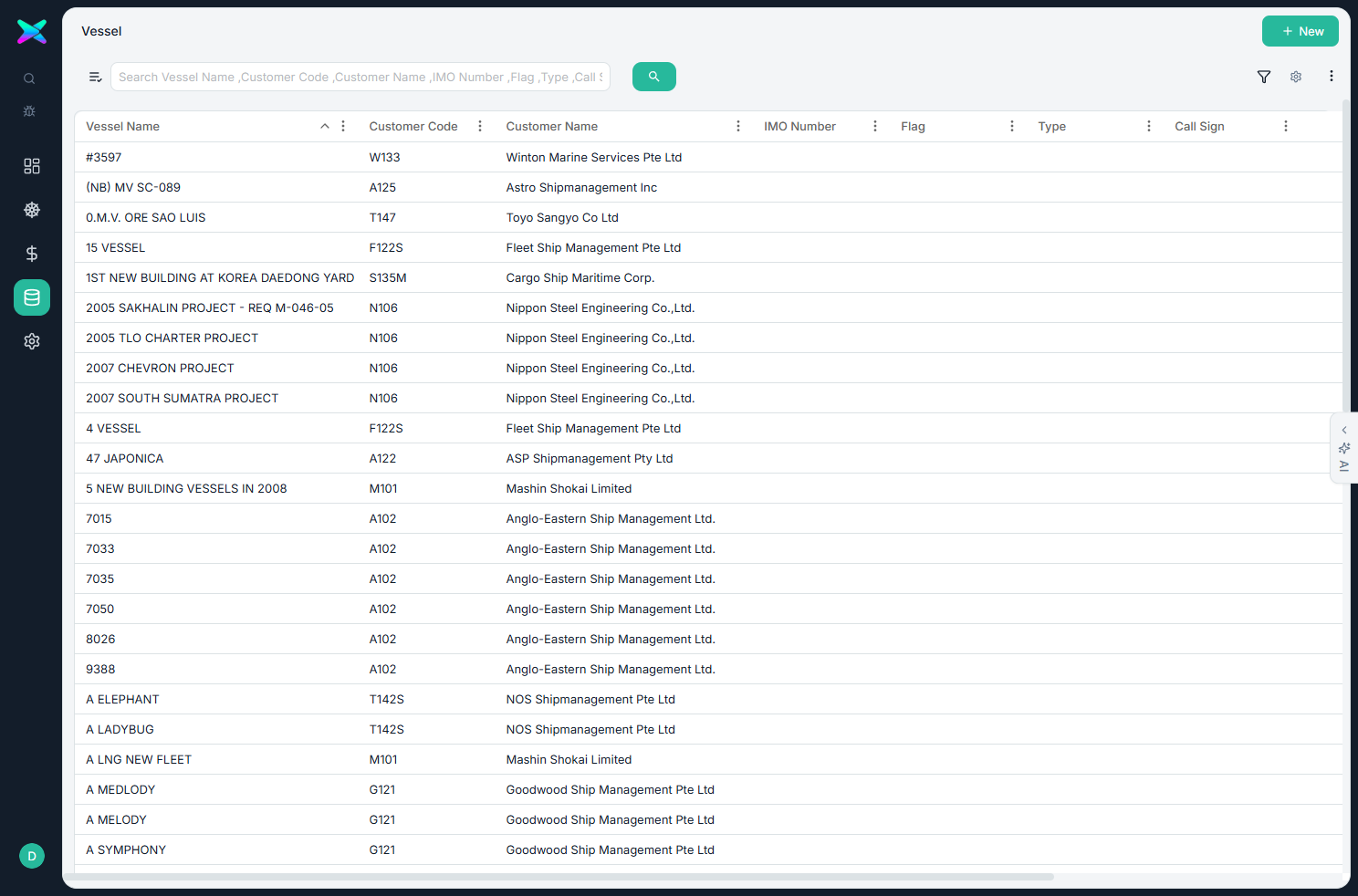
The Vessel list shows one row per ship. Use the search and filter toolbar to find a vessel quickly, then click a row to open and edit it, or use + New to add one.
The form
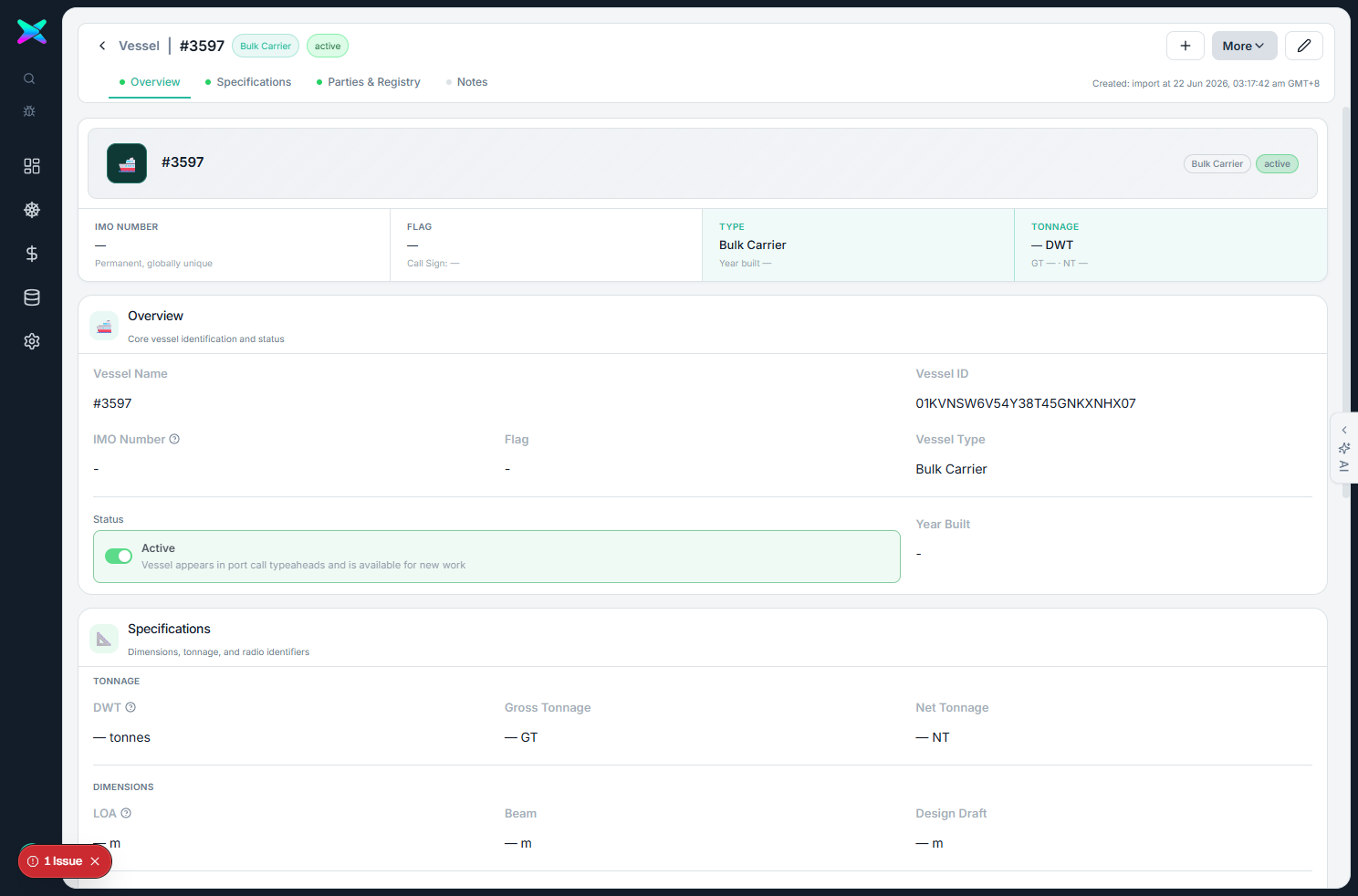
The form is organised into four sections:
| Section | What you fill in |
|---|---|
| Overview | The ship's name, its IMO number (7 digits), MMSI (9 digits), call sign, vessel type (bulk carrier, tanker, container and so on) and flag. |
| Specifications | Year built, tonnage, and the dimensions (length, beam, draft). |
| Parties & Registry | The customer who owns or manages the ship (chosen from a searchable list showing each customer's code and name), plus the owner / operator company. |
| Notes | A public description and an internal note. |
What you can do
- Link a customer. Search by code or name and pick the customer who owns the ship.
- Guided entry. The IMO number, MMSI and year built are checked as you type so you can't save an obviously wrong value.
- Change status when a vessel is no longer active.
- Handy shortcuts. Save & New, Duplicate Vessel, and Export Data Sheet (CSV).
How to use
- Click + New and enter the ship's name and IMO number.
- Pick the owning Customer.
- Fill in the type, flag and any specs, then Save. The vessel can now be selected on a Port Call.
⬆ Where it comes from
- You set vessels up yourself. Some were also brought in from an existing vessel list during setup.
⬇ What happens next
- The vessel is picked on a Port Call and then appears on the Workbench, on Sales quotes and orders, and on every sales-side document for that visit.
What you can print
Nothing is printed from this screen. The vessel's name shows up on the documents raised for its port calls, but the master record itself has no printout.